Signing In To SkySlope (For First-Time Users)
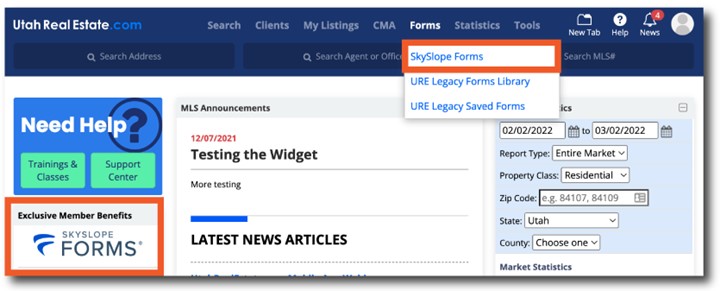
1. SkySlope Forms can be accessed from the Forms dropdown menu, or the Exclusive Member Benefits tile on your MLS Dashboard.
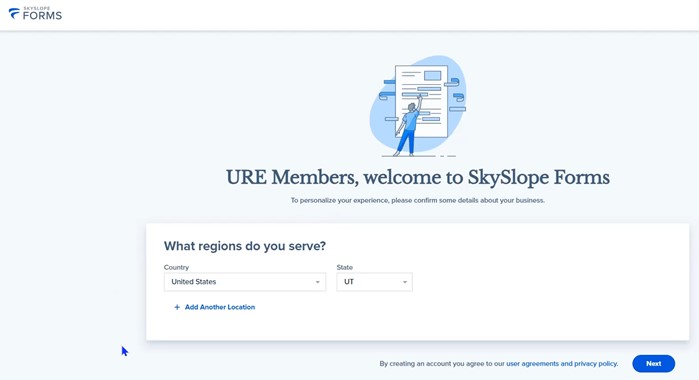
2. After accessing SkySlope using one of the links in Step #1, you will be asked to create an account if you are a first-time SkySlope user. The first step is to confirm the region where you sell real estate, and the system will default to Utah or “UT”. Select the Next button to continue the account creation process.
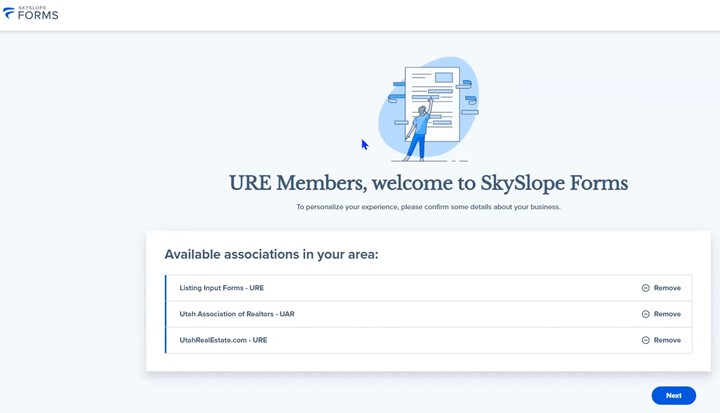
3. On the next page, simply click the Next button, as you will see that SkySlope has automatically selected the following forms libraries to be added to your account: Utah Association of REALTORS® (UAR) forms, UtahRealEstate.com (URE) Listing Input Forms, and UtahRealEstate.com forms (i.e. administrative MLS forms such as listing transfer forms, listing input permissions forms, etc.).
4. Next you will need to verify that you are a member of the Utah Association of REALTORS® (UAR) by entering in or verifying your NAR Member ID (NRDS number). If you need help finding your NAR Member ID (NRDS number), use the Lookup NRDS ID link on this page. Once your last name and NAR Member ID (NRDS number) are entered correctly, select Find NAR Records to verify your information.
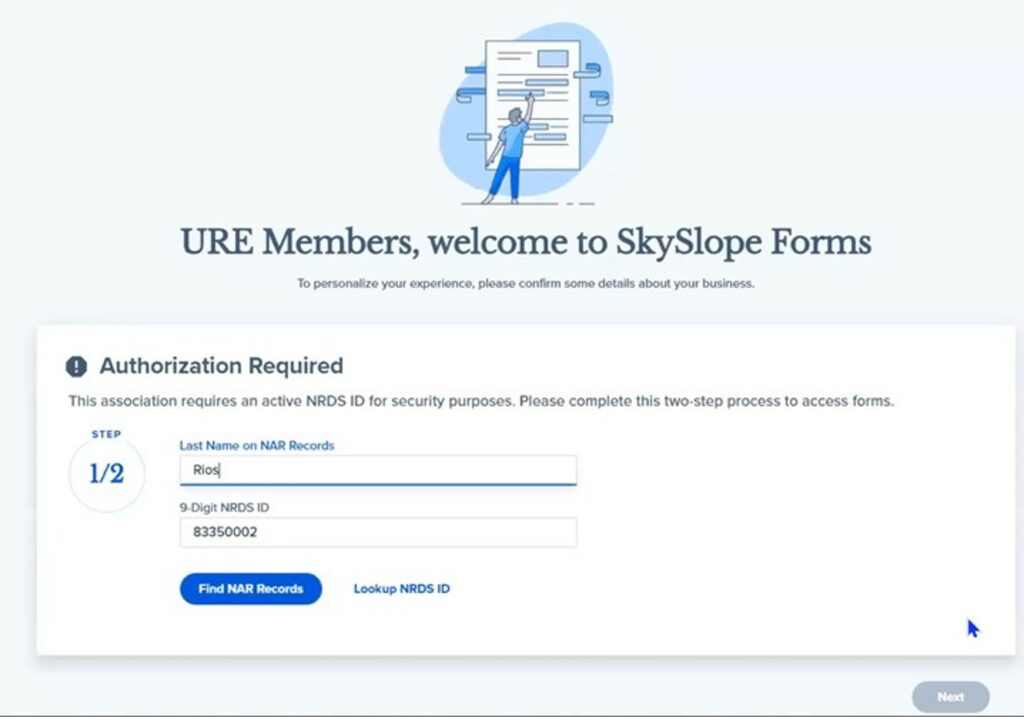
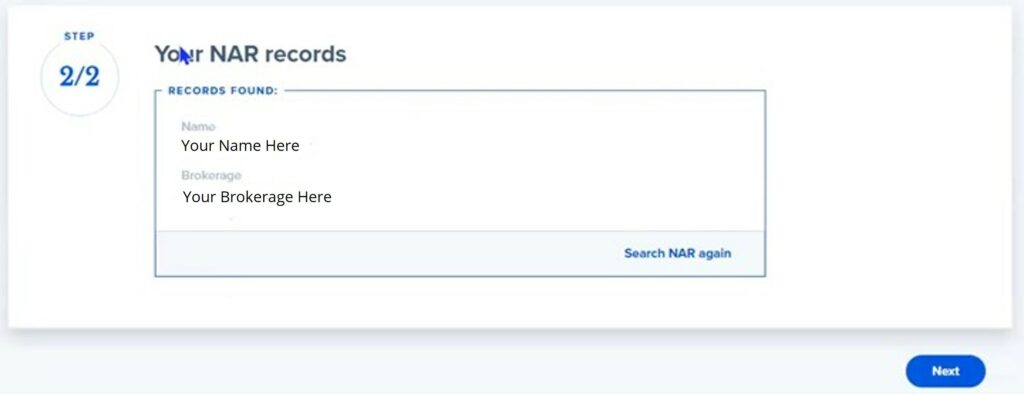
5. Once SkySlope has completed its process of confirming your UAR membership, the Next button will illuminate and you can click that “Next” button to proceed.
6. Once all of the steps above have been completed, the SkySlope account creation process is complete and you will be brought to a dashboard like the one below: