Adding an Open House to Your Calendar
Can I add an Open House to my Personal Calendar?
Yes. Open Houses advertised in the MLS can be added directly to your Google, Yahoo, Outlook, or Apple Calendar.
How do I add an Open House to my Personal Calendar?
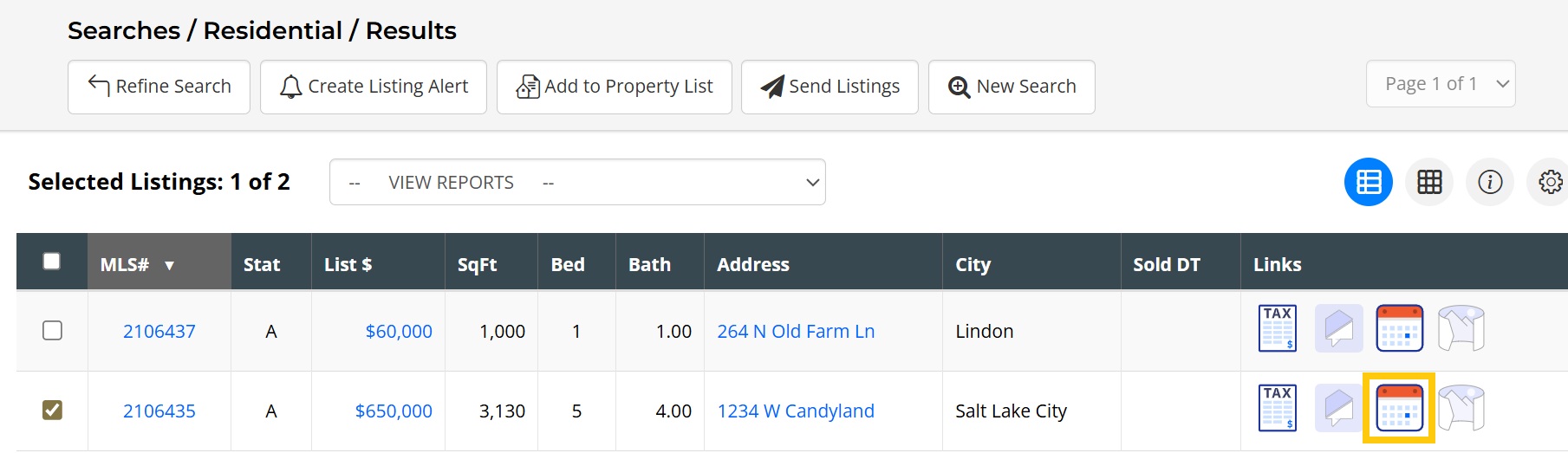
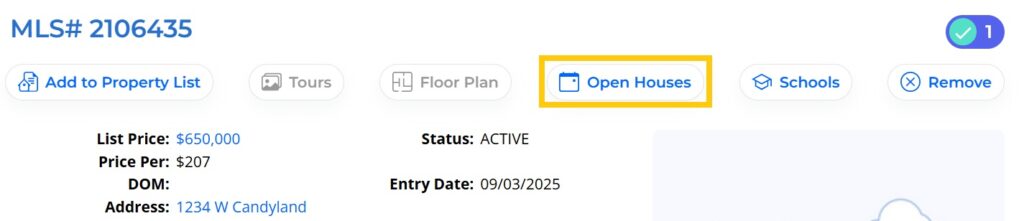
Step 1. First, review the open house details by visiting the Open House Report. This report can be accessed from:
- The search results page.
- The Open House Report, available in the Reports drop-down menu
- The Agent Full Report by selecting the Open link under the Tour/Open House section.
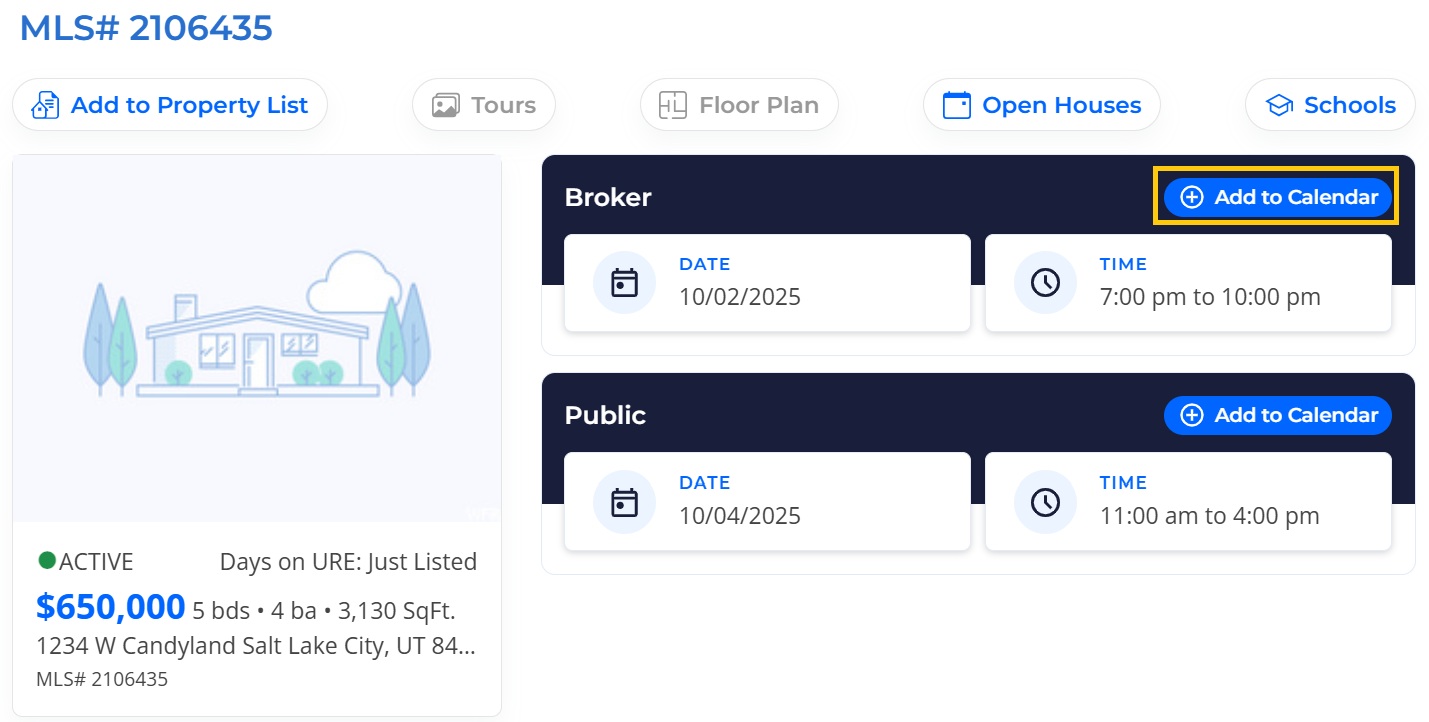
Step 2. Next to the details for the preferred Open House, click on Add to Calendar.
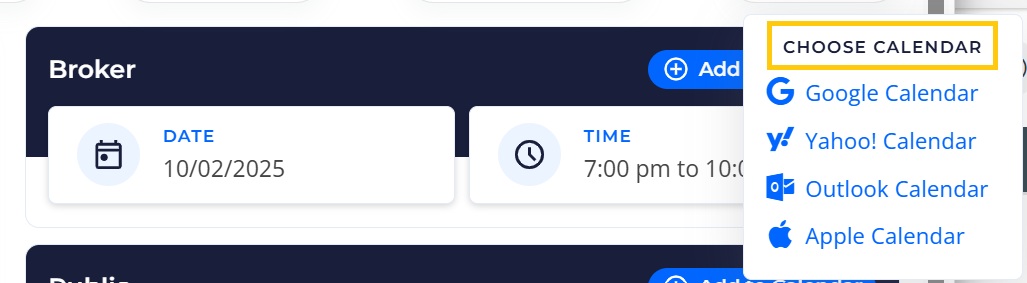
Step 3. Finally, choose your preferred calendar from the drop-down menu and you will be prompted to add the event to your personal calendar.
If you need any assistance, please contact us at 801-676-5400 or support@utahrealestate.com.


