Searching for Listings via Key Words
Can I Search for Listings using a Key Word?
Search for listings using key words with the Remarks field. The Remarks field is located under the Remarks Section of the Full search page (near the bottom of the page).
When Should I Use the Remarks Field?
The Remarks field is especially helpful when:
- There is no listing input field for the property feature you are searching. Examples include properties described as having upgrades, properties that need tlc, properties with an accessory dwelling, etc.
- There is a listing input field for the feature you are searching, but that field is not required during listing input. Examples include senior communities, properties with a mother-in-law apartment, and granite countertops.
Tip: If you are searching for a property feature with a corresponding listing input field that may or may not have been filled out during listing input, use New Tab to do two searches – one using the corresponding search field and one searching the key word in the remarks field.
How do I Use the Remarks Field?
Using the remarks field takes care, as different combinations of words may be used. The best solution is to search the remarks using multiple keywords. For instance, to find an investment property or a property that needs some love, the following keywords could be helpful:
- TLC
- Distressed
- Needs Work
- Handyman
- Investor
To search for all of these keywords at once, we need to create a search string. Here is a guide to searching using the remarks field, and how to create and use a search string.
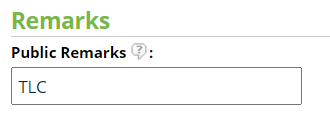
- To search for one word in the remarks, enter just that word with no other characters. For instance, to search for TLC, in the remarks field, enter:
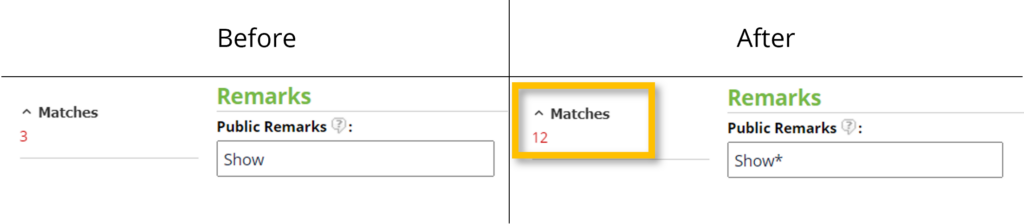
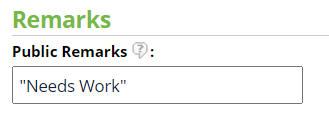
Now that we know the basic searches that can be used, we can string a series of searches to find different keywords in one search. For our search, we are going to use the following string: tlc+distressed+handyman+”needs work”+investor.
This search will find listings with any of those terms in the remarks.
A few additional notes on the Remarks search:
- You cannot exclude a word or term in the search.
- This is a literal search. It cannot find a word that is misspelled or otherwise different from the search you are using.
- It can be used in conjunction with other search fields.
If you need any assistance, please contact us at 801-676-5400 or support@utahrealestate.com.


