Cross-Property Search
What is a Cross-Property Search?
A cross-property search allows users to conduct a single listing search that spans multiple property classes (i.e. Residential, Land, Commercial, etc.). When conducting a cross property search, we recommend searching by address or using the map.
How do I Conduct a Cross-Property Search?
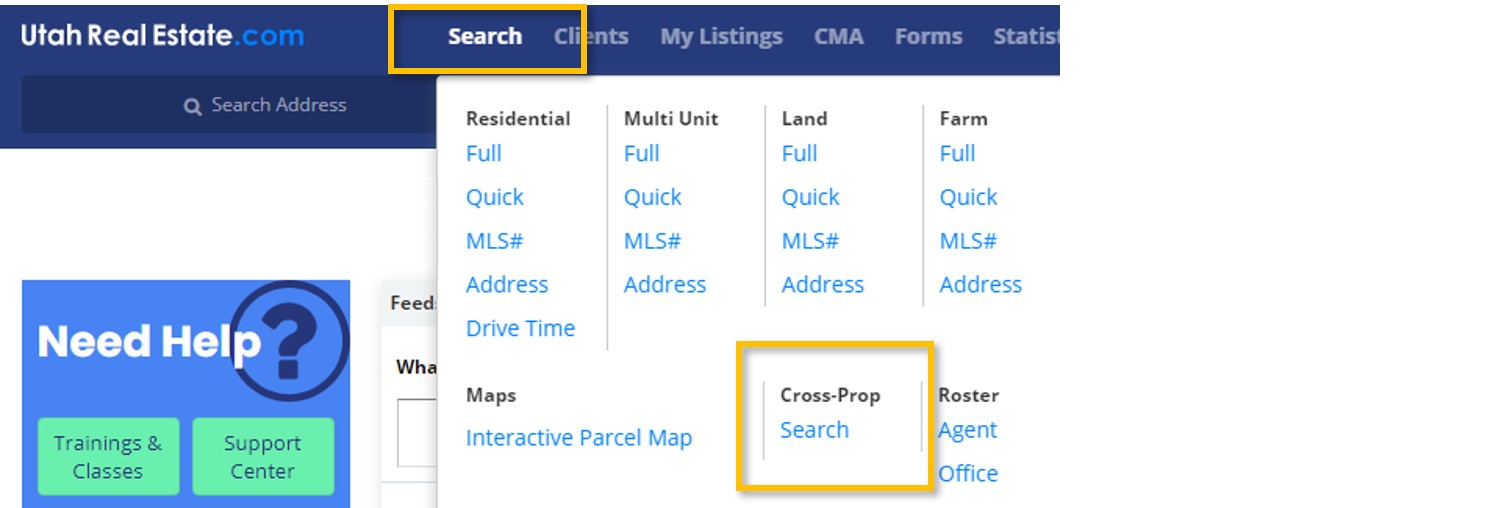
1. Select the Search option from the main navigation menu, then under the Cross-Prop section, select Cross-Prop Search.
2. On the Cross-Property search page, select the property classes you want to include in your search, or use Select All to include all property types. Add additional search criteria (Price, address, etc.) as needed.
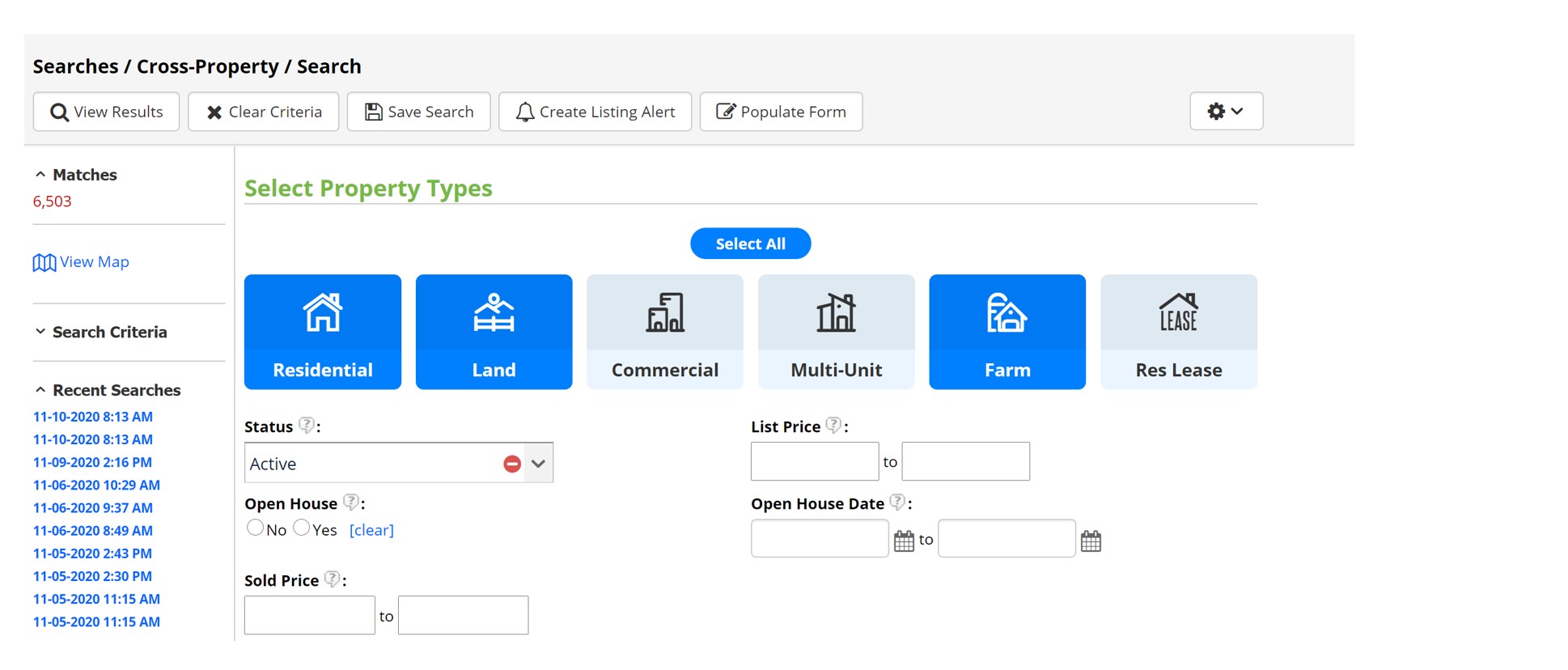
3. Once your search is completed, select View Results.
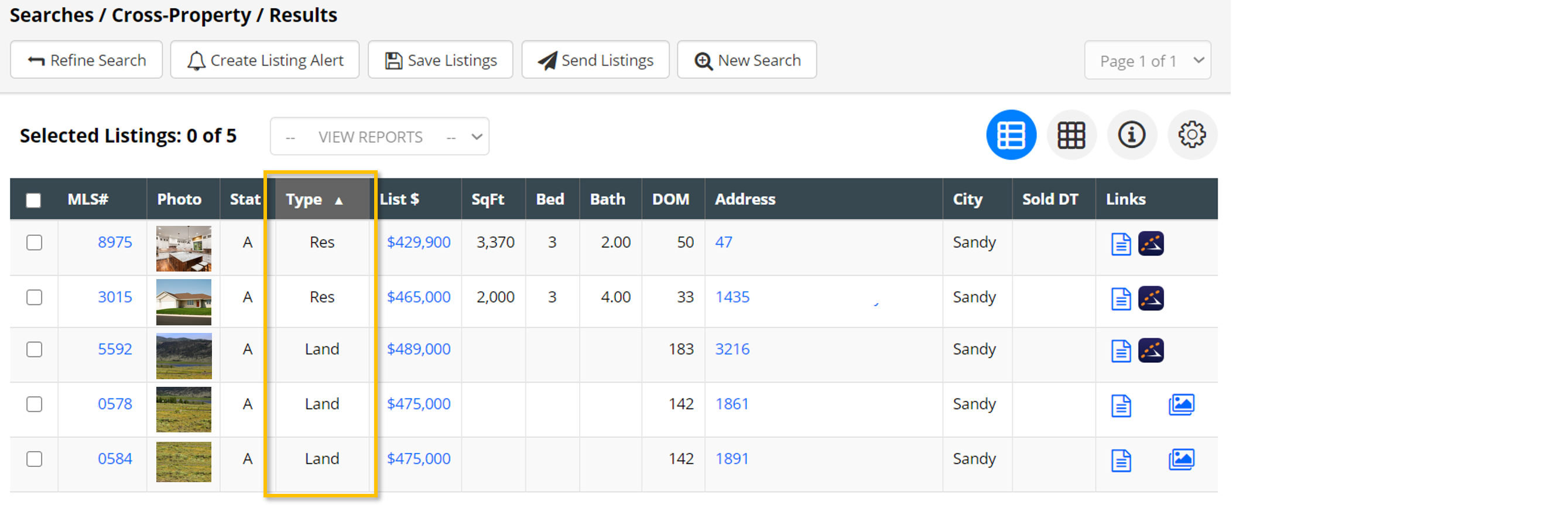
On the search results page, you can select the Type column to sort results by property class.
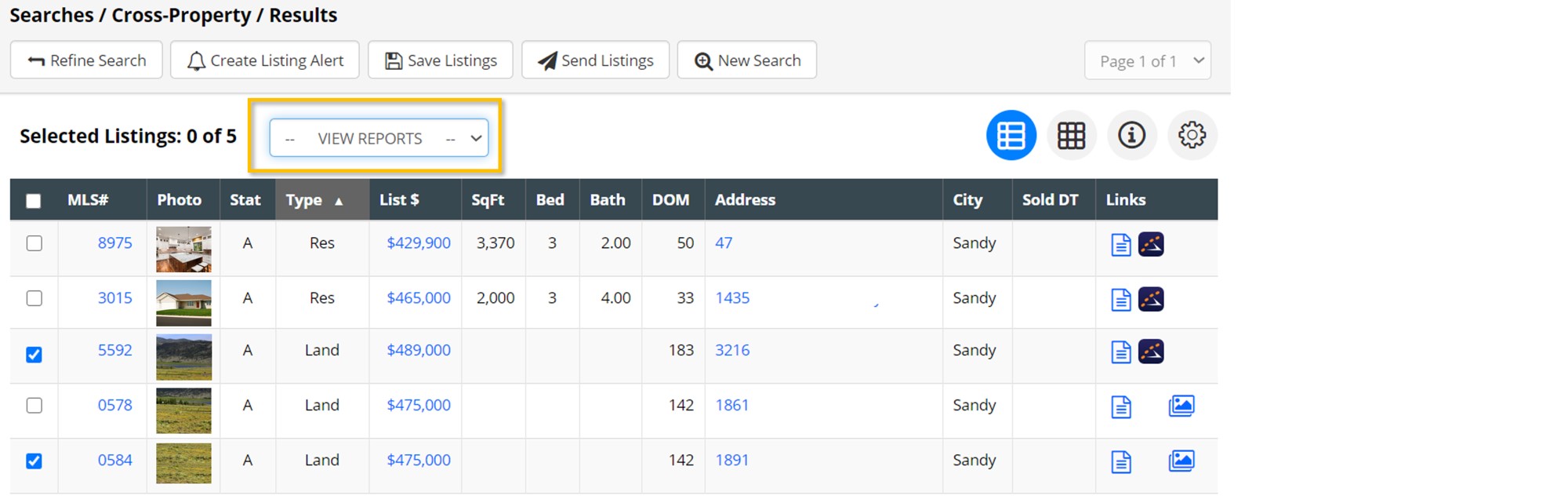
To view some or all search results in more detail, select the listings you want to learn more about and then open the dropdown labeled View Reports.
If you need any assistance, please contact us at 801-676-5400 or support@utahrealestate.com.


