How to Add a Listing to a Property List
The new Property Lists feature replaces both the static Saved Listings and Favorite Properties features on the MLS with a new, dynamic way to save listings to different lists. You can add and remove listings as desired, and associate different Property Lists with your clients for ease of use.
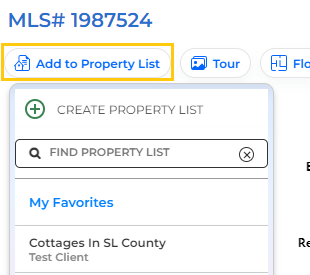
You can add a listing to a Property List from the search results page, when viewing listing reports, or from a Listing Alert.
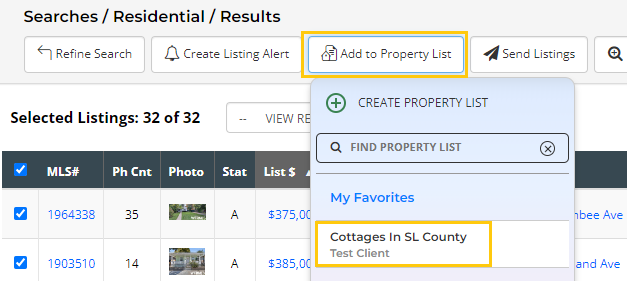
How to Add a Listing to a Property List from a Search?
- Perform your search, and click on View Results.
- Select one or multiple listings.
- Click on Add to Property List at the top, and you can then add the listing[s] to your My Favorites (which is your default Property List) or you can select a specific Property List to which to save the listing[s].
- If needed, you can Create a new Property List from this page.
How to Add a Listing to a Property List from a Listing Alert or Listing Report?
- Click to open your Listing Alert from the link included in your Listing Alert email. This will open the listing(s) in a report.
- Click on the button at the top of the listing to Add to Property List.
- Select the Property List to which you want to add the listing[s].
- If needed, you can Create a new Property List from this page.