Introduction to PropertyBoost
If you are looking to increase your listing exposure on social media, PropertyBoost is a great tool that automatically generates a targeted Facebook ad campaign for each listing that you boost. You can generate advertisements to promote newly listed properties, open houses, and recent sales.
How Do I Access my PropertyBoost Account?
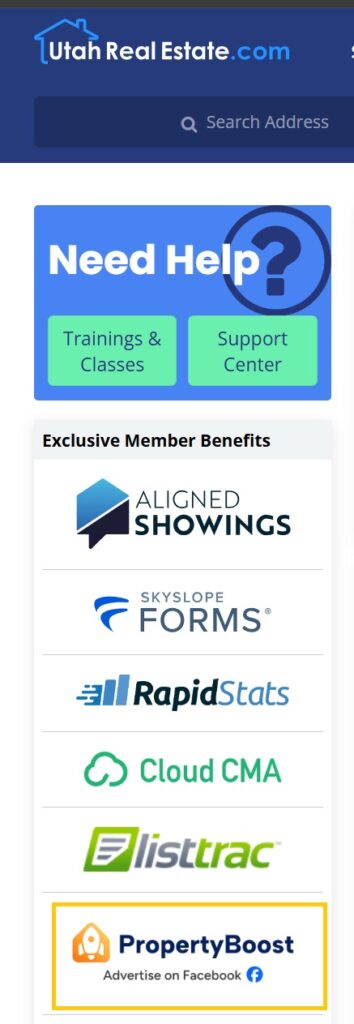
From the UtahRealEstate.com Dashboard, select PropertyBoost from the “Exclusive Member Benefits” menu. This will take you to the main dashboard for your PropertyBoost account.
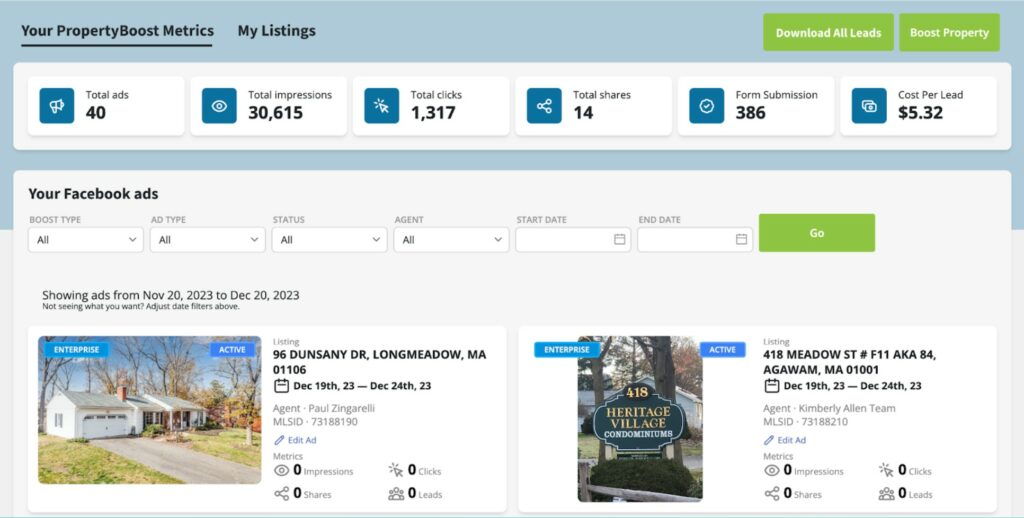
The PropertyBoost Dashboard shows your current and past ad campaigns for boosted listings, and the leads, impressions, and shares for each ad.
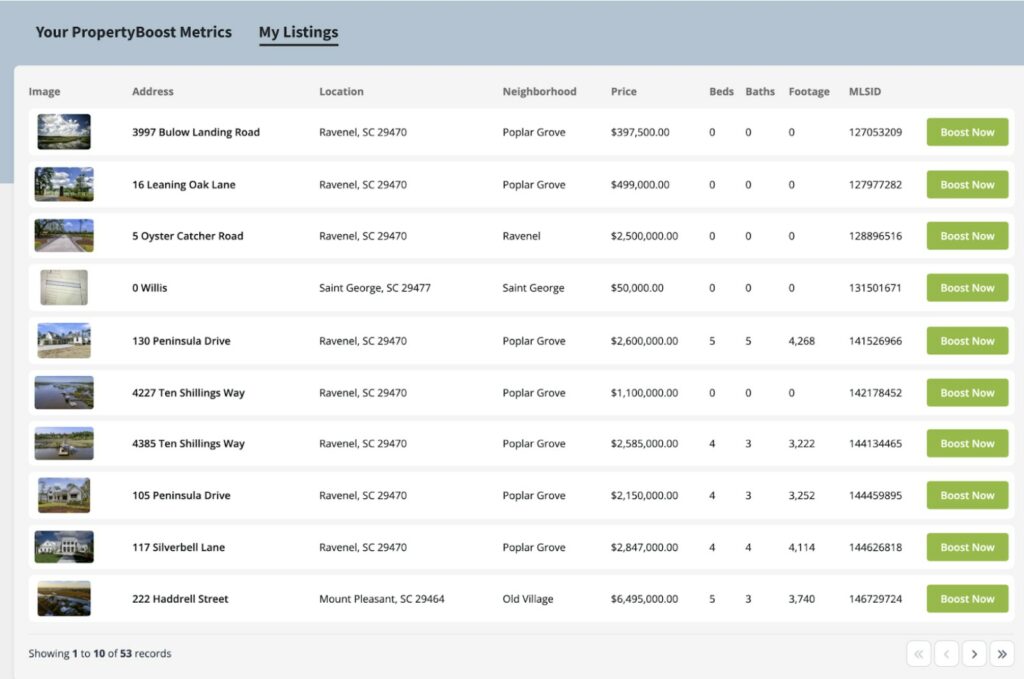
To view your current Boosted listings, click on the My Listings tab.
How Can I Set Up a Boost Campaign For My Listing?
Listing Input
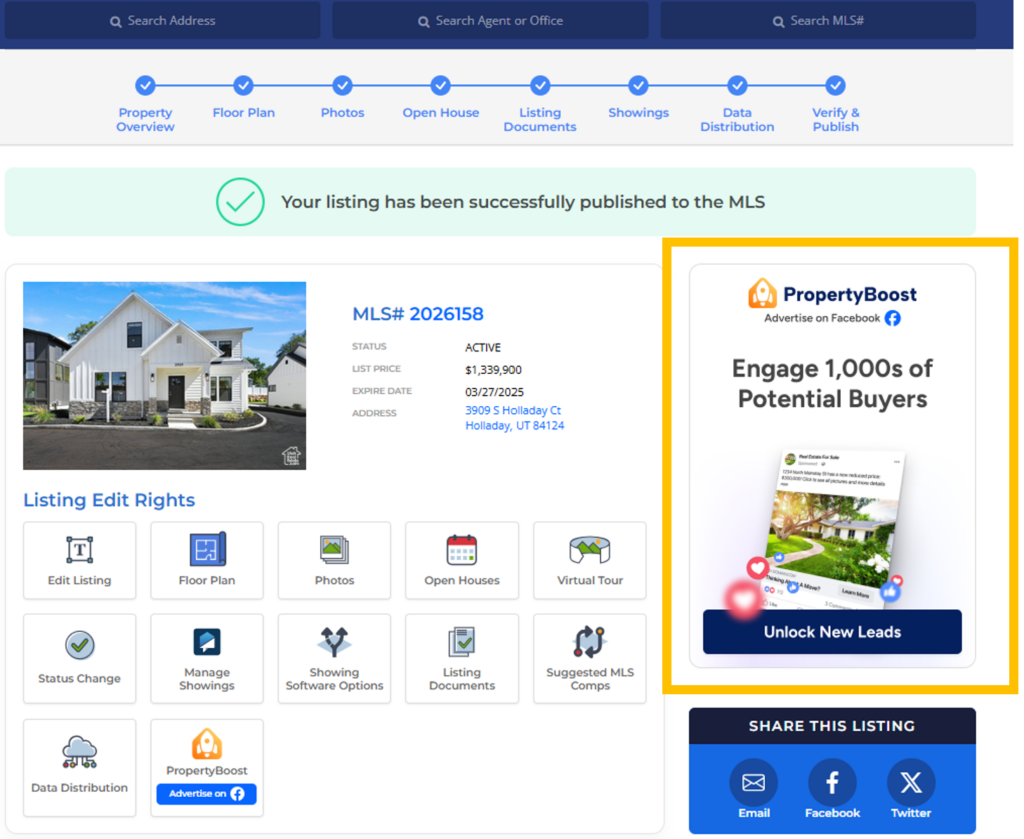
Immediately upon publishing a listing to the MLS you will see the option to Boost your listing from the listing publication confirmation page. Clicking the PropertyBoost tile will take you to your PropertyBoost account and walk you through creating an ad.
My Listings
If you do not have listing input permissions or if you want to Boost a listing after the fact, go to your My Listings Inventory (from the My Listings tab), and click on the Boost icon next to the listing you would like to Boost. Clicking the Boost icon will take you to your PropertyBoost account and walk you through creating an ad.
You can also Boost a sold listing from the My Closed Transactions section. Note: Sales Price information is not displayed when Boosting a sold listing.
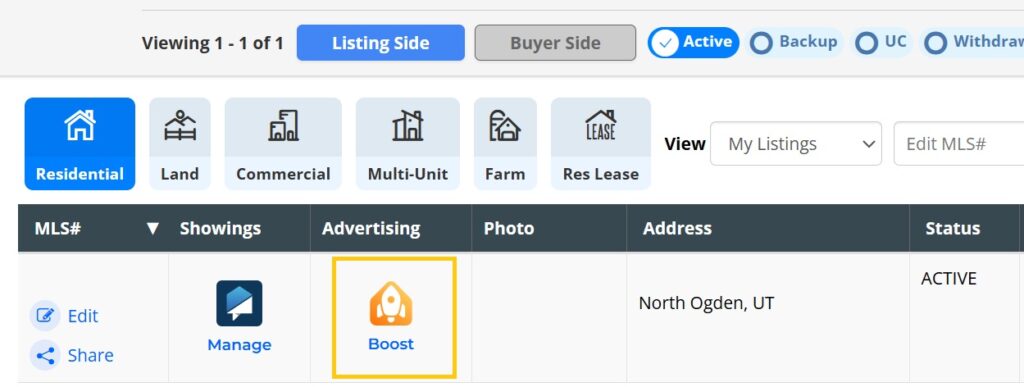
Once you’ve started the process of Boosting a listing (See Above), follow the step-by-step prompts to create your ad. Pricing plans are shown at the bottom of the ad creation page.
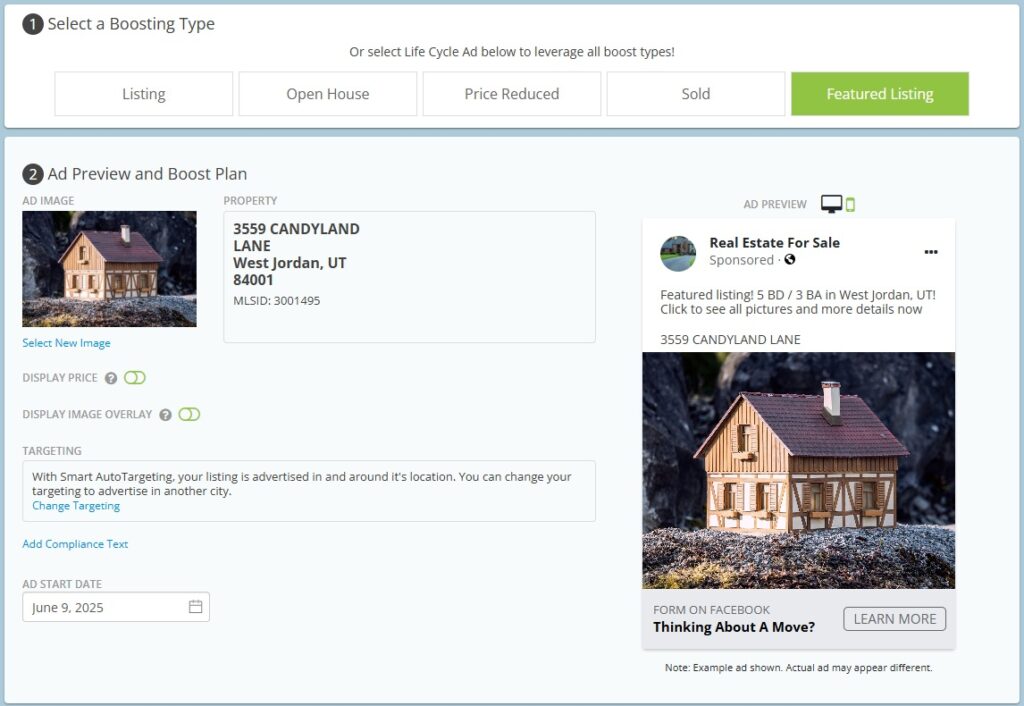
What types of Boosts are available?
- Listing: Feature your new listing, and generate attention as soon as the listing is published to the MLS.
- Open House: Let potential buyers know about your Open House, and drive foot traffic to make sure your event is packed.
- Price Reduction: Perfect for catching motivated buyers with the updated listing price.
- Sold: Showcase your success and build trust with future sellers.
- Featured Listing: A great way to promote a listing that’s been on the market for some time and needs fresh attention.
Additionally, you choose how long to Boost your listing. Options include:
- 3 days – great for advertising an open house that weekend
- 7 days – perfect for advertising a new listing, price reduction, or refreshing views as a featured listing.
- 21 days – an extended promotional period, excellent for showing your listing or advertising your recent successful sale.
- 4 weeks – full coverage to market through all stages of the listing’s life cycle
Boosts can be scheduled up to 14 days ahead, allowing you to plan your marketing in advance.
What Options Are Available When Setting Up a Boost Campaign?
- Display Price – Turn this option on to display the list price for the property your ad.
- Display Image Overlay – Select a banner or image to draw attention to or add information to your ad. Available overlays vary by boost type.
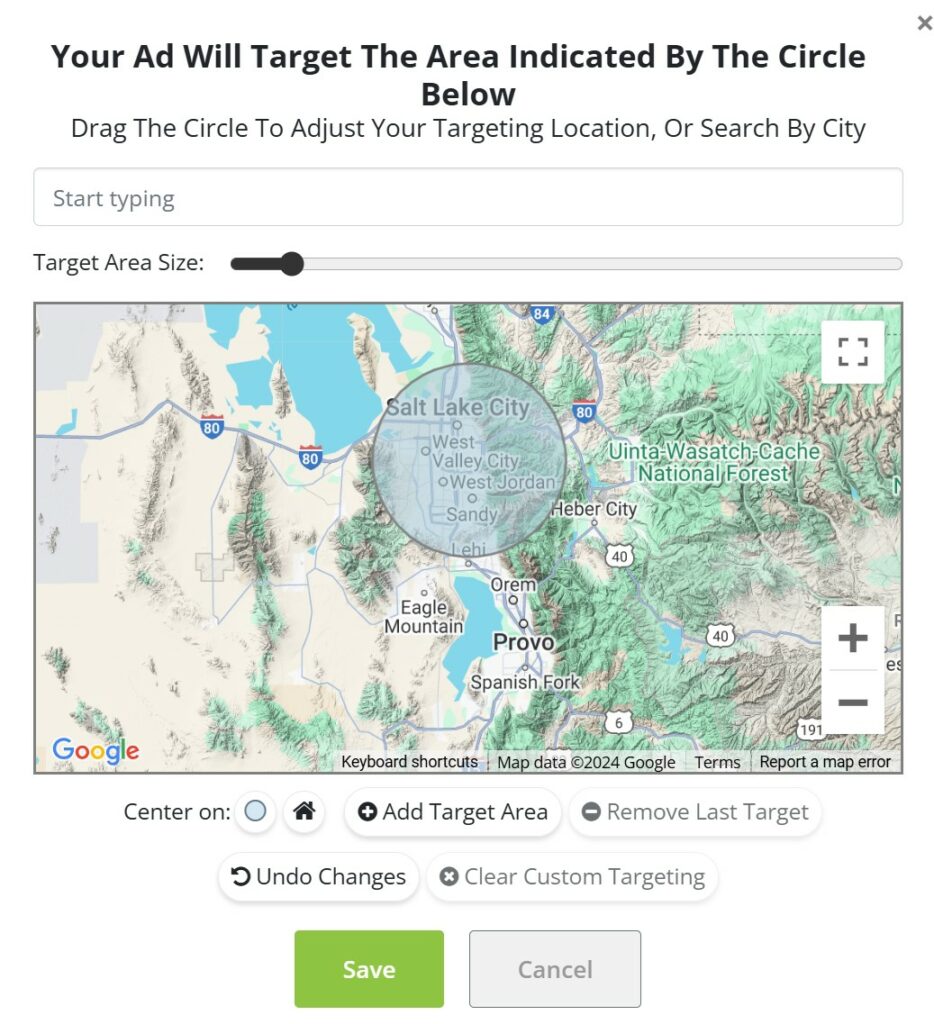
- Targeting – Your ad will automatically be shown to all Facebook users within a 15-mile radius of the property’s address. You can change the targeting to areas outside of the listing address by adding a zip code or using the map. You may select up to 2 target areas.
- Please note: Facebook has a minimum targeted 15-mile radius for housing-related advertisements, and this is to comply with fair housing laws.
How Many Photos Are Displayed in a Boost Campaign?
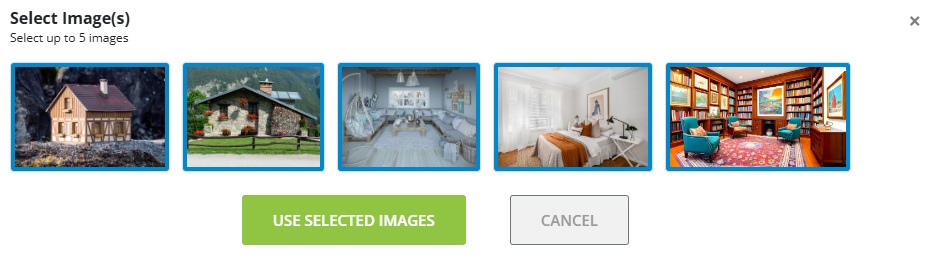
By default, the first picture on the MLS listing is used as the ad’s image. If you would like to use a different listing image click on the blue Select New Image link underneath the default image to choose from the pictures that have been uploaded to that MLS listing. You may use up to 5 images.
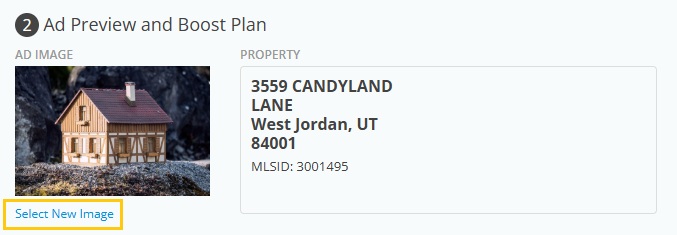
Once you select your desired image, click the green Use Selected Images button at the bottom of the list and the ad preview will refresh with the new picture.
How Can I Edit My Boost Campaign?
Click the PropertyBoost icon on the MLS homepage, which will take you to your PropertyBoost Dashboard. Click on Edit Ad next to the ad you want to edit.
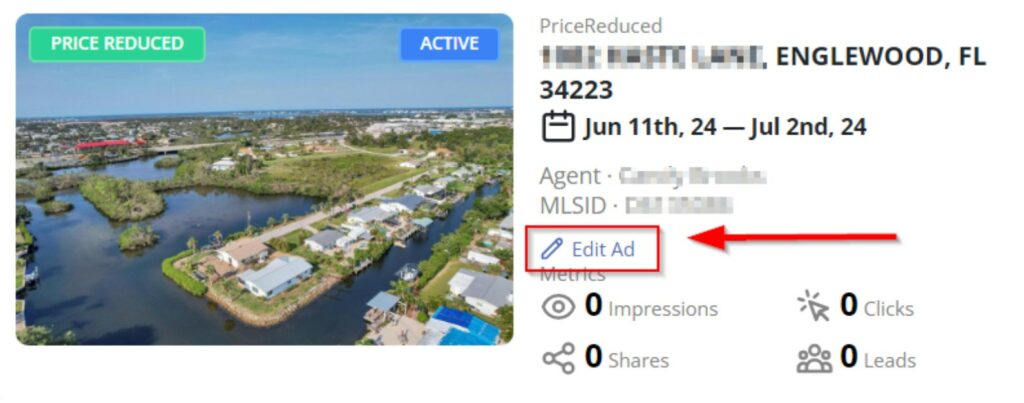
Please Note: You will not see a newly boosted listing’s ad immediately appear on your PropertyBoost dashboard since it can take up to 24 hours for the ad to generate, but all New Leads generated by your Active ads will be emailed delivered the moment they submit their information. Analytics and impressions for newly boosted ads will be available to view on the Dashboard within 24-48 hours of creation.
How Will I Receive Leads From My Boost?
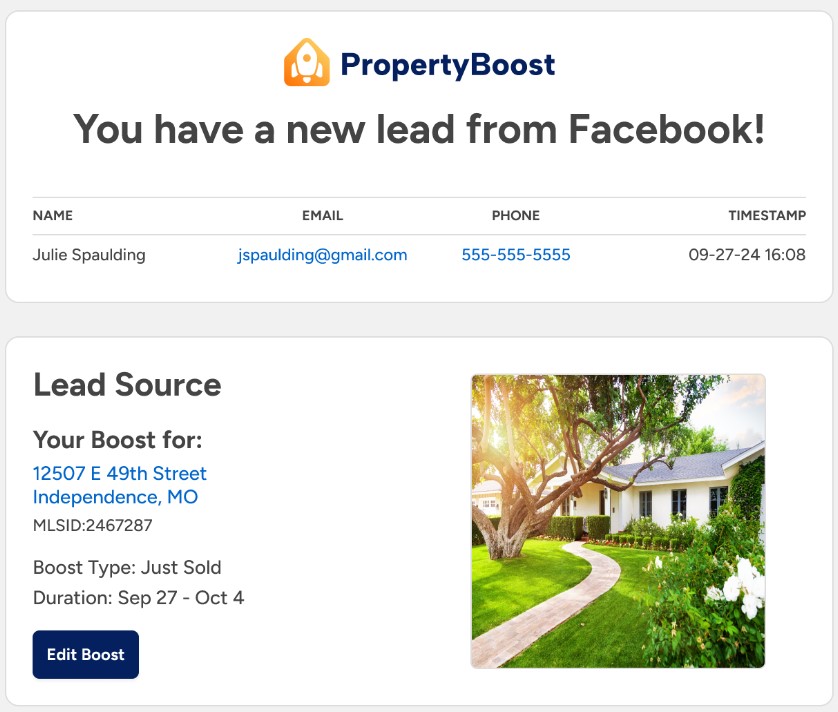
When you receive a new lead from an advertisement, an email will be sent to you with the lead’s contact information. You’ll receive an email with the following details:
- Full name
- Phone (Optional)
- Timestamp of when the lead was received
Can I Download All of My Leads from PropertyBoost?
Yes. Go to the PropertyBoost Dashboard, and click on Download All Leads in the top right corner. This will download all leads that have been received across all boosts, in CSV format.
FAQs
How are leads generated using PropertyBoost?
PropertyBoost automatically creates a Facebook ad that is shown to Facebook users who live within 15 miles of your listing. PropertyBoost then collects the name, email, and phone number that Facebook has on file for any user who opts-in for more information via that listing ad.
By clicking your ad on Facebook, consumers are also taken to your listing on UtahRealEstate.com, where your listing is prominently branded to you as the listing agent and your listing brokerage.
How soon does my Boost go live?
PropertyBoost ads can take up to 24 hours to go live and you will receive a confirmation email once it is published on Facebook.
What Kind of Boosts Are Available?
- Listing – General advertisement for your Active status listing
- Open House – Includes open house information from the MLS listing
- Please note: The open house must be scheduled at least 3 days after the start of the Boost campaign.
- Price Reduced – Advertisement showing a price drop for your listing
- Sold – Advertisement for a recent sale. Please note, sales price information is not included in this type of ad.
Will changes to the property’s details in the MLS update the ad?
Yes! If you boost a listing and then have to make changes, like a price reduction, the ad will update with the new information within 24 hours.
Can I set the targeting for my PropertyBoost ad?
Yes and no. You cannot choose a target demographic, but you do have the opportunity to change the target city on the purchase page.
Facebook’s algorithm does a great job of finding people who might be interested in your listing and who will click on your ad. You can select up to 2 areas between 15-100 miles. Please Note: Due to restrictions set by Facebook an area may not be less than 15 miles.
Can I Boost the same listing in two cities?
Yes! To update and add a targeting area select Change Targeting. Click +Add Target Area and select the circle from the “Center on” section. Move the circle or change the area as desired.
If the listing goes off the market during the boosted timeframe, can I cancel the ad or receive a refund for the time it isn’t Active?
No. If the listing goes off-market for any reason you will not be able to receive a refund. Additionally, any time remaining cannot be transferred to a new listing.
Is the PropertyBoost ad run through my Facebook Business page?
No. Inside Real Estate, the company which provides PropertyBoost, will create and manage a Facebook page on your behalf through an in-house Facebook account and will send all generated leads. The ability to link to a personal Facebook business page is not available.
If you need any assistance, please contact us at 801-676-5400 or support@utahrealestate.com.


