Using the Dashboard Widgets
What are Widgets?
Widgets are tools found on the MLS Dashboard, which allow for quick and easy access to commonly used features of the MLS (Your listings, Listing Alerts, etc.), statistical information, and MLS/Association-related news.
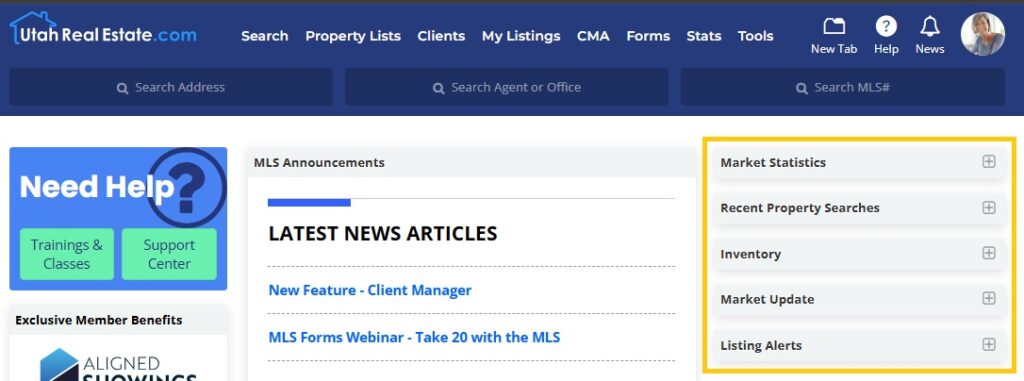
MLS Dashboard Widgets include:
- Market Statistics
- The Market Statistics Widget displays the Average DOM (Days on Market), Average List Price, Average Sold Price, and # of Sales during a specified time period. When using this tool, you can filter your results by property type, as well as by location (zip code, state, or county).
- Recent Property Searches
- The Recent Property Searches Widget displays your last 10 searches while logged in to the MLS. You can click a recent search to re-run that search.
- Market Update
- The Market Update Widget displays totals for the number of listings updated to each different listing status on the specified day, along with a link to view a report of all of those listings. This widget also shows the total number of listings that have changed in price (specifying a price increase or decrease on a given day), as well as the total number of Open Houses being hosted on the chosen day. When using this tool you can filter your results by property type, as well as by location (zip code, state, or county).
- Inventory
- The Inventory Widget shows counts of (and links to) your own listings. For brokers, this tool can be used to view total listing inventory for your entire brokerage or a specific office within your brokerage.
- Listing Alerts
- The Listing Alerts Widget will display the 10 most recent results from Listing Alerts that have been sent from your account, as well as the 10 most recent Sent Listings you have manually sent from the MLS system.
- MLS Announcements
- The MLS Announcements Widget is where you can find information about recent and upcoming changes to the MLS system, which includes links to MLS News items related to such changes.
- Board News
- The Board News Widget is where your local association of REALTORS can post association-related news and information. This widget appears based on your primary association membership affiliation.
- Exclusive Member Benefits
- The Exclusive Member Benefits Widget contains links to UtahRealEstate.com’s partner products, which include various third party products that are included in your UtahRealEstate.com membership at no additional charge.
Market Statistics Widget
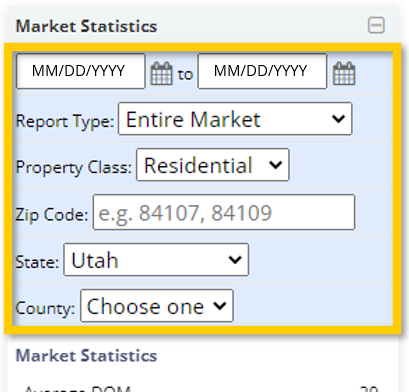
The Market Statistics Widget displays the Average DOM (Days on Market), Average List Price, Average Sold Price, and # of Sales during a specified time period.
You can use the fields available in the blue section at the top of the Market Statistics widget to customize the statistics that appear based on a specific time period, market, property type, zip code(s), state, and/or county.
Recent Property Searches Widget
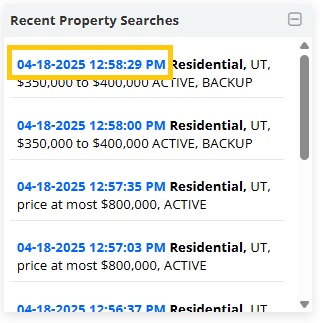
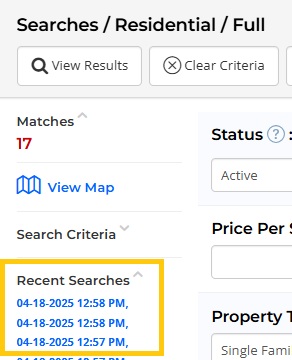
The Recent Property Searches Widget shows your 10 most recent searches, including displays the Date, Time, and Search Criteria of the search.
The Date and Time will appear in Bold Blue font which is a link that can be clicked to run the search criteria again.
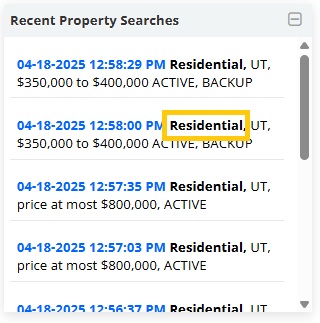
The Property Class will be in bold, followed by the remaining criteria entered.
This information is also available in the left-side menu of every search page.
Market Update Widget
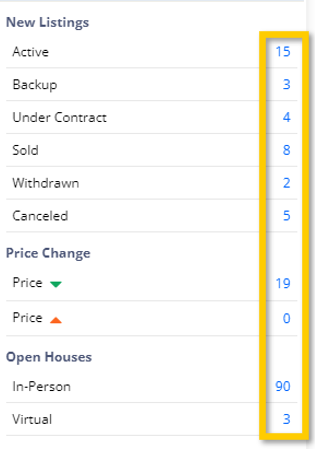
The Market Update Widget displays totals for the number of listings updated to each different listing status on the specified day. This widget also shows the total number of listings that have changed in price (specifying a price increase or decrease on a given day), as well as the total number of Open Houses being hosted on the chosen day.
Listing totals are displayed next to each status/item in blue, which is a link that will take you to a list of all properties associated with that listing count.
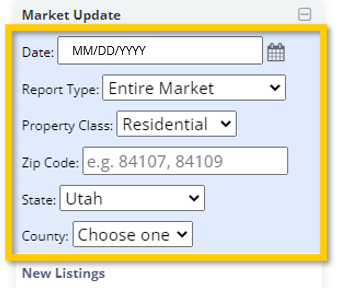
You can use the fields available in the blue section at the top of the Market Update widget to customize the statistics that appear based on a specific time period, market, property type, zip code(s), state, and/or county.
Inventory Widget
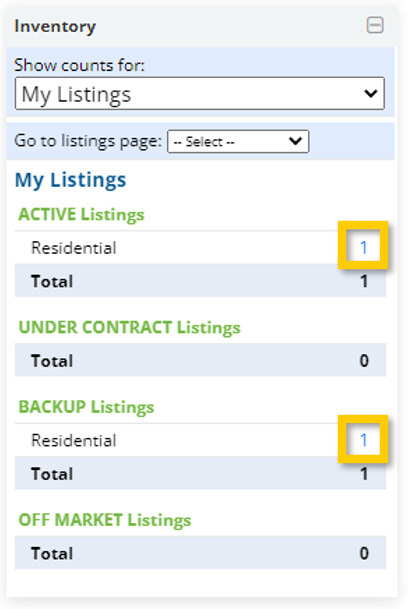
The Inventory Widget shows counts of (and links to) an agent’s listings, broken down by listing status.
Agents can choose which property type they’re viewing in the widget under the “Go to listings Page” dropdown menu, or see the whole count across all property types by default.
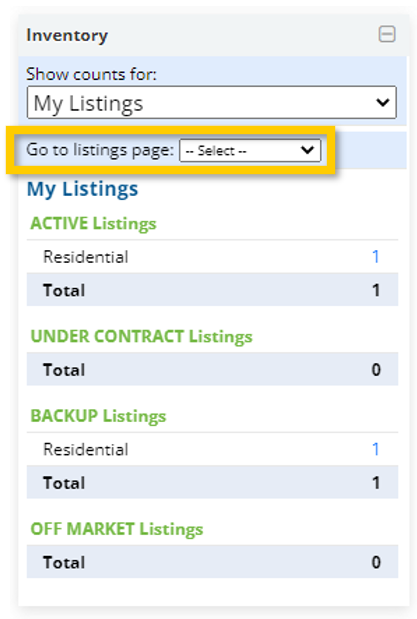
The blue numbers which represent the total number of listings in a given status can be clicked to open a report that shows all of those listings.
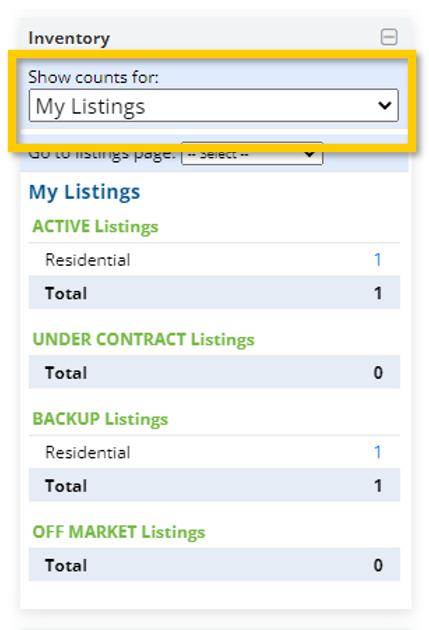
Brokers have an option to see their own listings, all listings in their company, or all listings within a given office in their company using the “Show counts For” dropdown menu.
Listing Alerts Widget
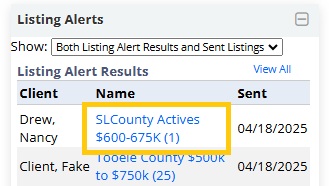
The Listing Alerts Widget will display the 10 most recent results from Listing Alerts that have been sent from a your account, as well as the 10 most recent Send Listings that were manually sent from the MLS system.
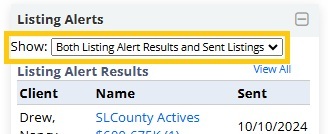
The “Show” dropdown menu defaults to showing both property list types (Listing Alerts and manually Sent Listings), but you can use that dropdown menu to filter between the two.
The information shown includes the Client associated, the Name of the Listing Alert (or subject of the Sent Listings), and the Date Sent.
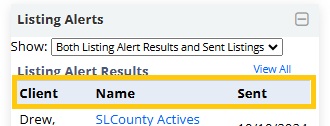
The name of each sent list is a link to the actual list of properties sent.
MLS Announcements Widget
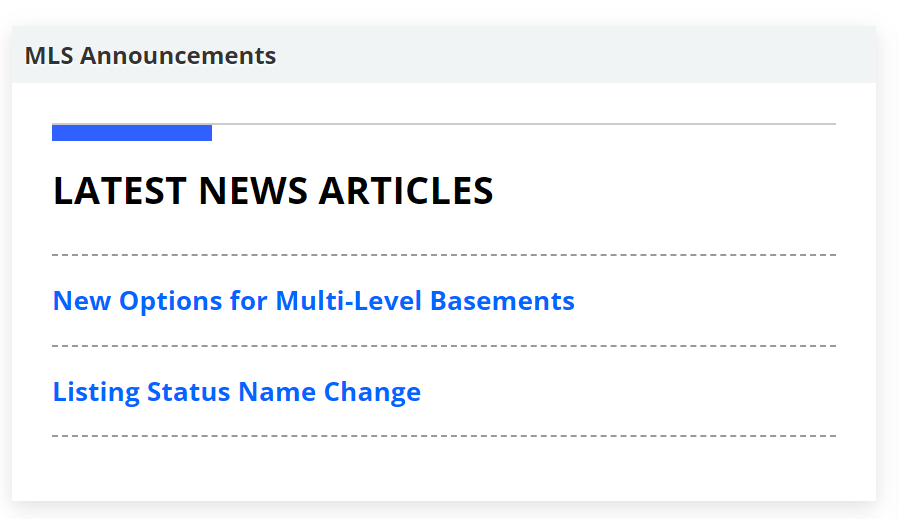
The MLS Announcements Widget is where you can view information about recent and upcoming changes to the MLS system. The information included in this widget will often contain links that you can click to read the full MLS News item associated with the announcement.
Board News Widget
The Board News Widget contains content that is controlled and updated by your local association of REALTORS. The information included in this widget will relate to any associated-related news information. This widget appears based on your primary association membership affiliation.

Exclusive Member Benefits
The Exclusive Member Benefits Widget contains links to UtahRealEstate.com’s partner products, which include various third party products that are included in your UtahRealEstate.com membership at no additional charge. When you click on one of the partner product tiles, you will seamlessly and automatically be signed in to that product under your account (some products require quick verification of your information). Partner products include:
- Aligned Showings: The preferred showing software on UtahRealEstate.com
- SkySlope: Forms and E-Signature platform
- RapidStats:
- Cloud CMA: CMA, listing presentation materials, and marketing tool
- Remine: Prospect mining and lead generation
- ListTrac: Listing analytics, reporting tools, and seller reports
- Builders Update: Search portal for new construction homes and communities
- RPR Commercial: Commercial property listing data


