Live Chat with Support
How do I Chat with the Technical Support Team?
1. Start by selecting Contact Us under the Help Tab in the main menu.

2. Select Click Here to Chat from the bottom right-hand corner of the Contact Us page.
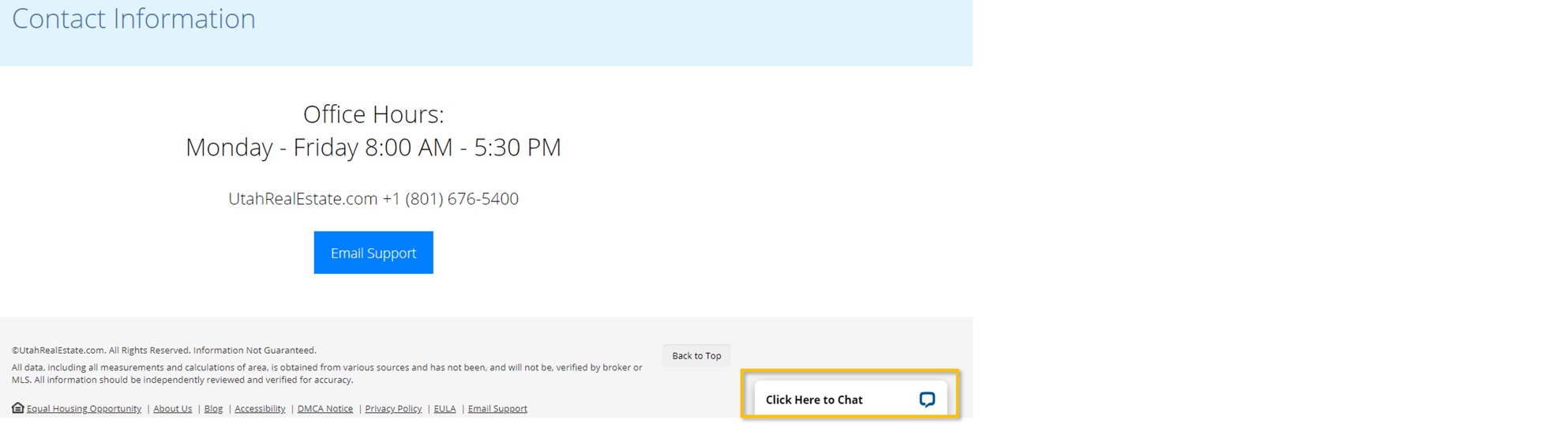
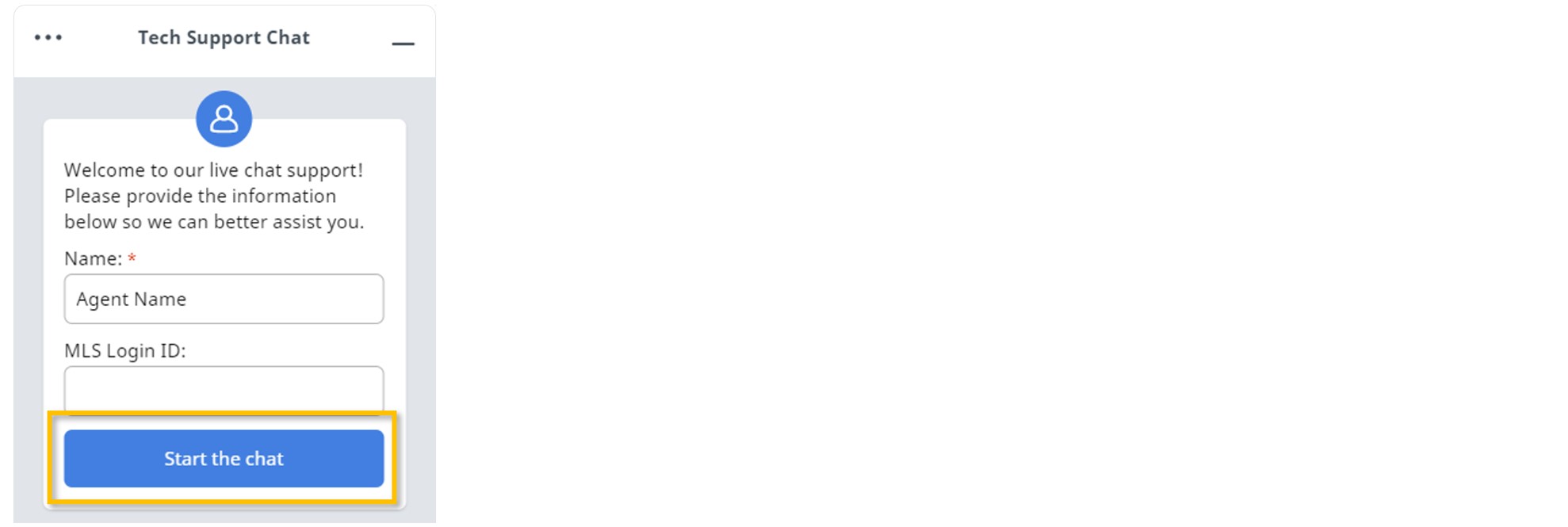
3. Enter your Name and MLS Login ID.
4. Select the Start the Chat button to begin your chat session with a support representative.
Is Live Chat Always Available?
Aside from Holidays, live chat is available Monday through Friday during regular office hours only. A Live Chat Currently Offline message will be displayed when live chat is unavailable.

Can I Use the Chat Feature When the Support Team is Unavailable?
When Live Chat is unavailable, this feature can still be used to Leave a Message. This message will be sent to the Technical Support team via email. An email address and detailed message are required.
If you need any assistance, please contact us at 801-676-5400 or support@utahrealestate.com.


