Guide to MLS Listing Statuses
What do I Need to Know about MLS Listing Statuses?
Active – The listing is available for sale or lease and no offers (with or without contingencies) have been accepted. A listing in the “Active” status must be available for showings within a reasonable period of time (which generally means within five business days) after the listing has been placed in the Active status. This is an on-market status, and Days on Market (“DOM”) will accumulate.
Active T/C – The listing is under contract with an accepted offer, but a “Time Clause” addendum is in place and the buyer and seller agree that the property is to remain on-market so that additional offers may be solicited. This is an on-market status and DOM will accumulate.
Backup – The seller has accepted an offer on the listing, but the seller requests that the property remain on-market to solicit additional, back-up offers. This is an on-market status and DOM will accumulate.
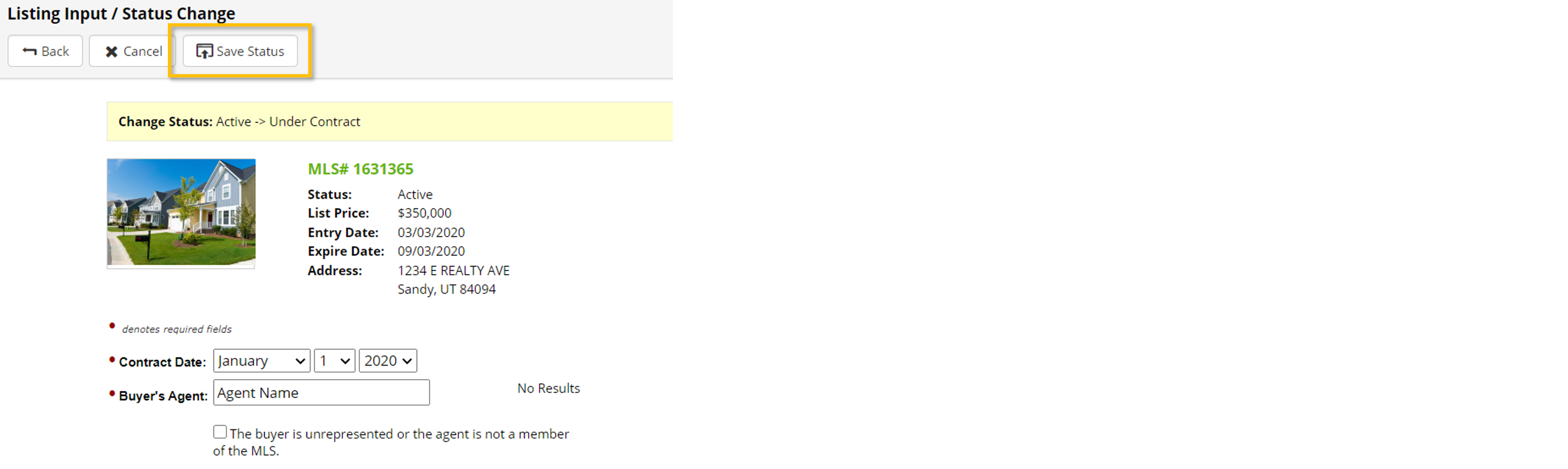
Under Contract – The listing is under contract with an accepted offer. This is an off-market status and DOM will not accumulate.
Active – No Show (Formerly Off Market) – The listing is temporarily not available for showings per the seller’s request. However, a valid listing agreement is in effect. Please note, when in the Active – No Show status, DOM will not accumulate, photos are not required, and the listing will not be visible on UtahRealEstate.com or any IDX or syndication websites.
Withdrawn – A valid listing agreement is in effect; however, the seller and listing broker have agreed to withdraw the listing from being marketed through the MLS.
Canceled – The listing agreement has been terminated prior to the expiration date specified in the listing agreement.
Expired – The termination date of the listing agreement has passed, and a valid listing agreement for this listing is no longer in effect.
Sold – The listing has sold and title to the property has transferred from the seller to the buyer.
Leased – The listing has been leased.
How do I Change the Status of my Listing?
1. Visit My Listing Inventory found under the My Listings tab.
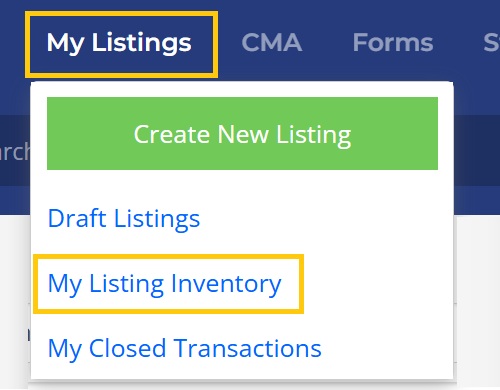
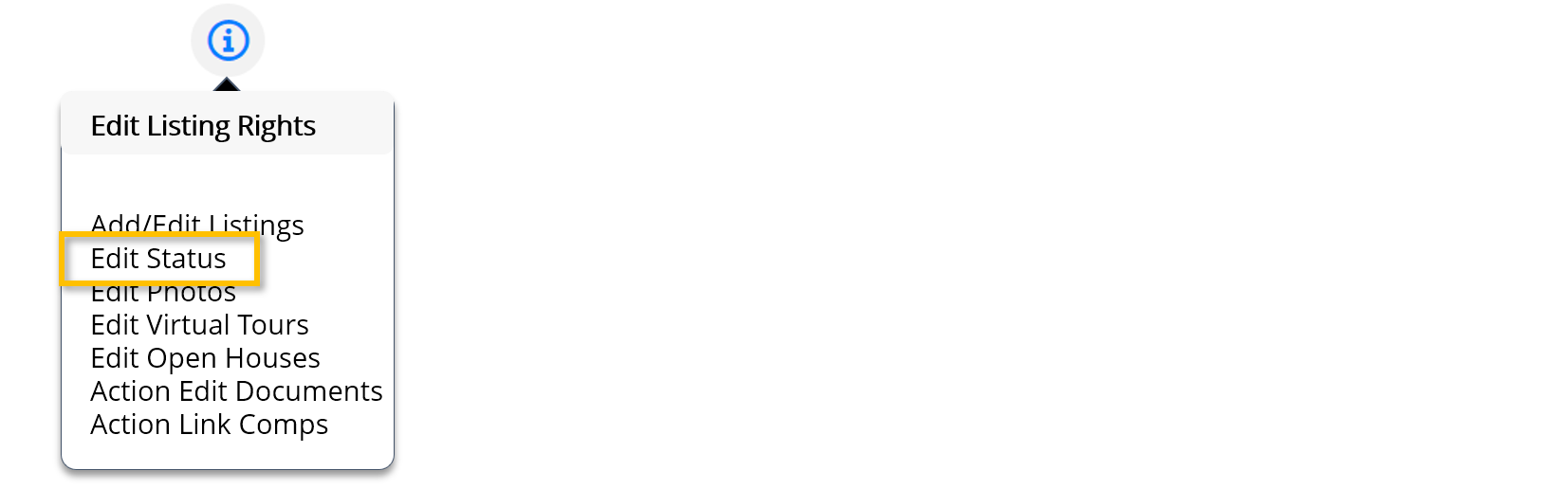
Note: Your ability to make any changes to a listing requires the prior authorization of your broker. To verify your Listing Rights, select the information icon located in the top right-hand corner of the page.
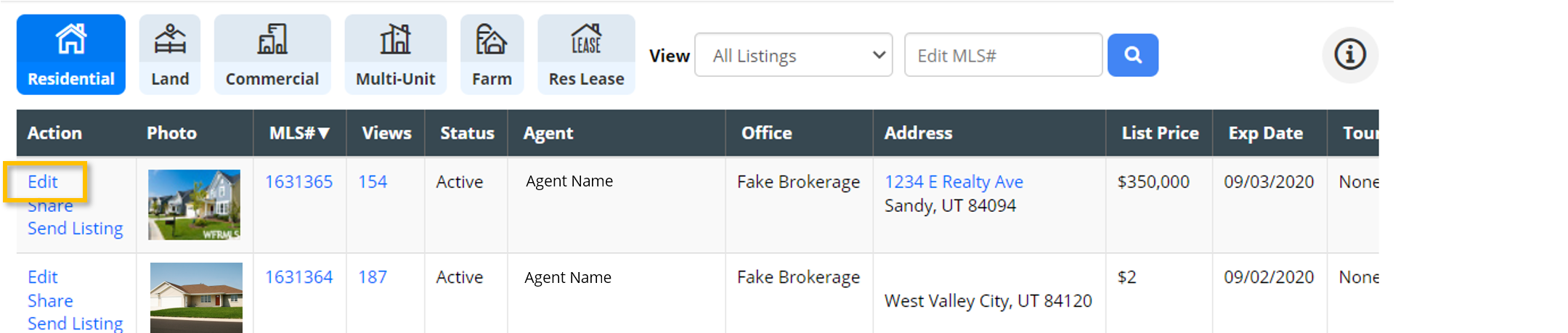
2. Select Edit under the Actions column on the listing needing a status change.
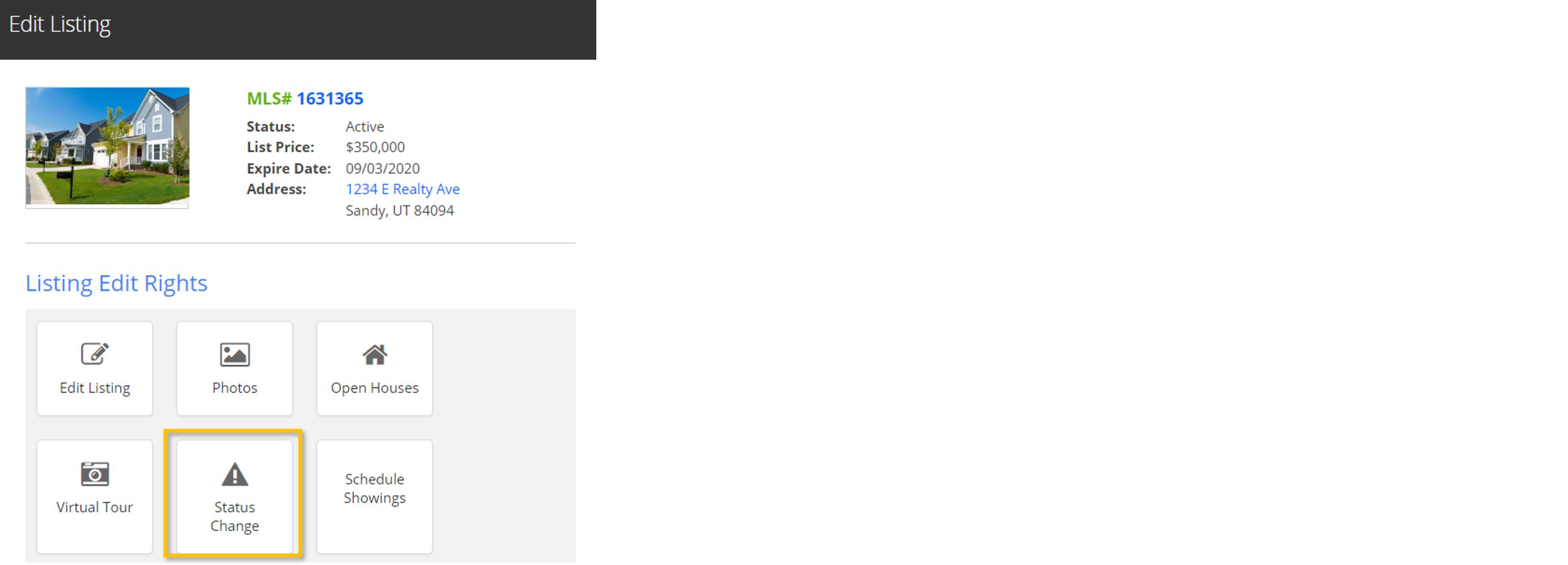
3. From the Edit Listing pop-up window, Select Status Change.
4. Select the correct status under New Status and then click Continue.
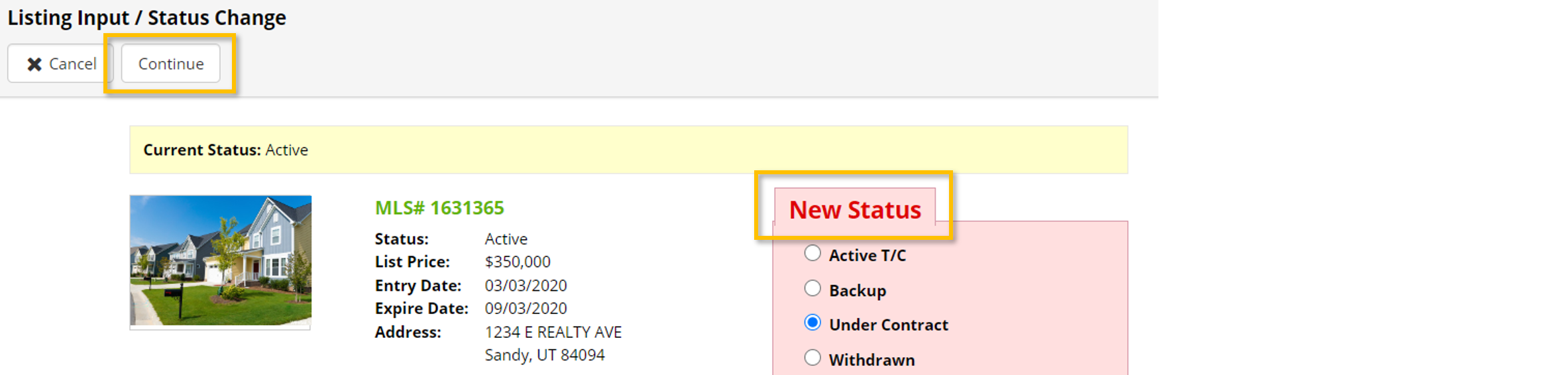
5. Depending on the New Status of the listing, you may be required to enter additional details such as the Contract Date or Buyer’s Agent. Once the required details have been entered, select Save Status at the top of the page.