Using Canceled Status
When Should I Mark a Listing as Canceled?
The Canceled listing status is intended to be used in conjunction with the UAR’s Cancellation and Termination of the Exclusive Right to Sell Listing Agreement & Agency Disclosure form, or in any case where a listing agreement has otherwise been canceled or terminated.
What happens when I change a listing to the “Canceled” status?
“Canceled” is a finalized off-market status, so once a listing is “Canceled”, the listing can no longer be edited by the listing agent/office. A listing changed to the “Canceled” status will no longer automatically change to the “Expired” status.
What is the difference between “Canceled”,“Withdrawn”, and “Expired”?
- “Canceled” is used in cases where a UAR Cancellation and Termination of the Exclusive Right to Sell Listing Agreement & Agency Disclosure Form has been executed, or the listing agreement has otherwise been canceled and terminated.
- “Withdrawn” is used in cases where a valid listing agreement is in effect, but the seller and listing broker have agreed to withdraw the listing from being marketed through the MLS.
- “Expired” signifies that the termination date, as specified on the Listing Agreement, has passed. Listings will automatically change to “Expired” on the expiration date specified on the MLS listing.
What is the Canceled Date?
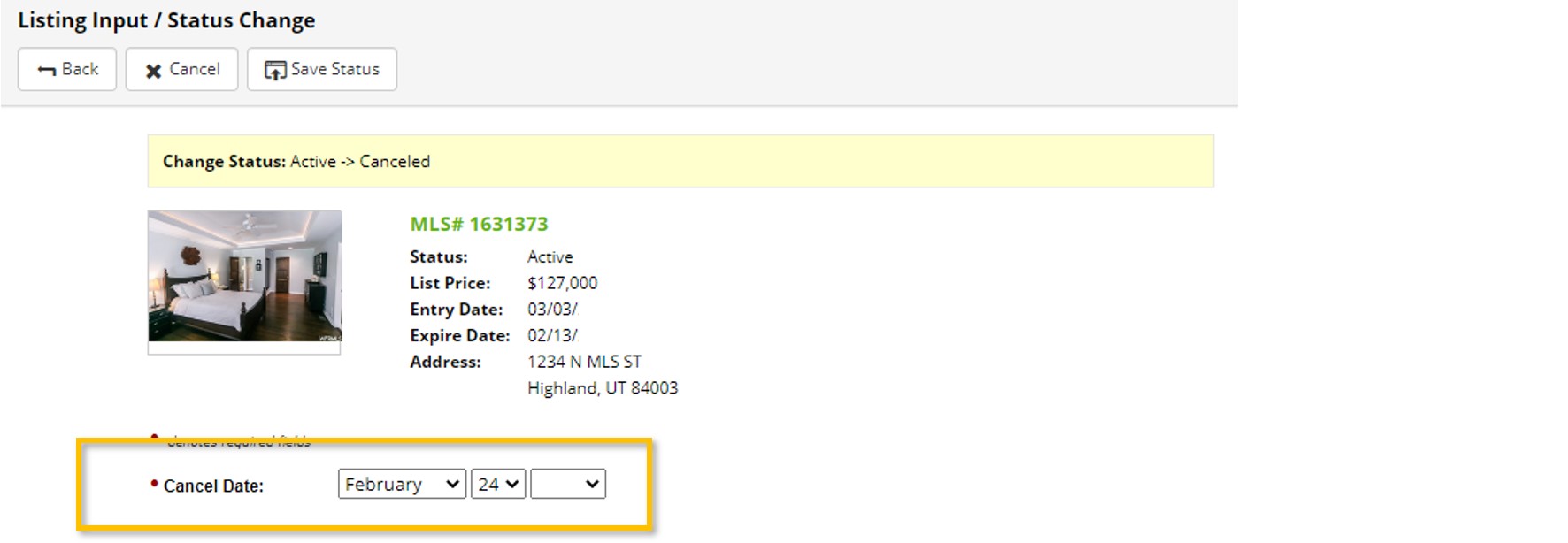
The Cancel Date field is used to enter the date that the listing agreement was canceled.
How does the “Canceled” Status Affect DOM?
- If Re-Listed After 30 Calendar Days: If you re-list a property that you previously changed to the “Canceled” status on the MLS, and it has been at least 30 calendar days since canceling your last listing, your new listing would show zero DOM.
- If Re-Listed within 30 Calendar Days: If a listing that has been on the market for a period of time is changed to the “Canceled” status, and re-listed by the same agent or by another agent in the same branch office within a 30 day period, the DOM value for the prior listing will carry over to the new listing and the DOM will continue to increase or accumulate while the listing is in the “Active” or “Backup” status.
- Example:
- John Smith has a listing in the Active status for 180 calendar days, before the seller cancels the listing agreement. The Days on Market for that Canceled listing would be 180.
- A week later, John signs a new listing agreement for the same property, and lists the property on the MLS
- That new listing added to the MLS would start with showing 180 Days on Market and will continue to accumulate days while in the “Active” or “Backup” status