Digitally Altered Photos
“Digitally Altered Photos” are images that have been altered or changed through the use of photo editing software or artificial intelligence to add, remove, or change elements or features of the image.
Per the MLS Rule, if a listing photo has been “Digitally Altered” then that must be disclosed on the listing.
Examples of “Digitally Altered” Photos:
- Virtual staging where, as an example, furniture is virtually added to an empty room
- Twilight conversion photos
- Removing objects, such as powerlines, trees and other landscaping, or neighboring buildings
- Hiding property defects, such as damage to walls or flooring
- Altering features within the structure, such as changing the paint color, flooring materials, countertops, etc.
- Modifying the layout of the structure of the property, such as reconfiguring rooms, removing walls, etc.
- Adding features to the property that do not currently exist, such as a ADU, pool, landscaping, etc.
When determining whether a photo is “Digitally Altered,” consider whether the image has been materially altered in such a way that a prospective buyer touring the home would see the differences between what is depicted in the photo vs. what they see in person.
Minor, common edits to a photo, such as cropping or adjusting the brightness of the image, do not materially change the contents of the photo, and is therefore NOT considered “Digitally Altered.”
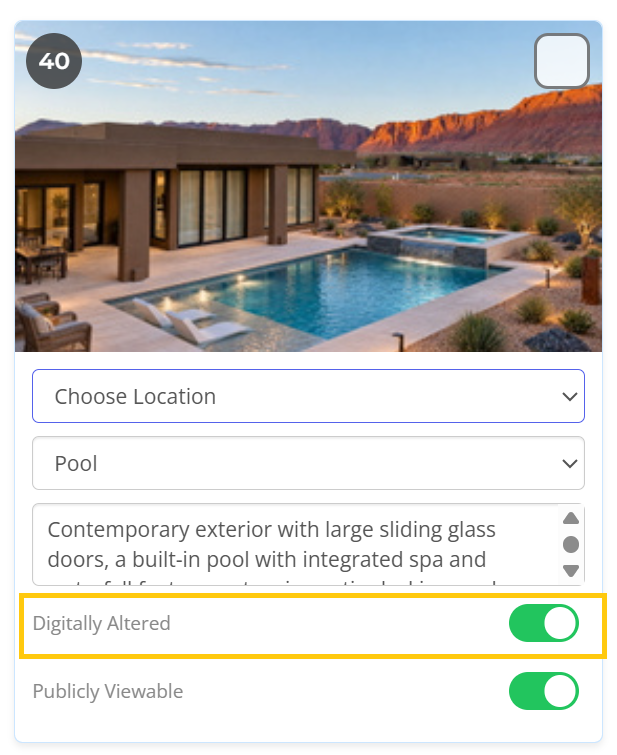
The listing photo upload page on the MLS contains a “Digitally Altered” slider/selector option beneath each photo that you upload. Simply toggle this option on if a photo is “Digitally Altered” (as seen in image below).
This disclosure is displayed on each listing photo in the bottom left corner.
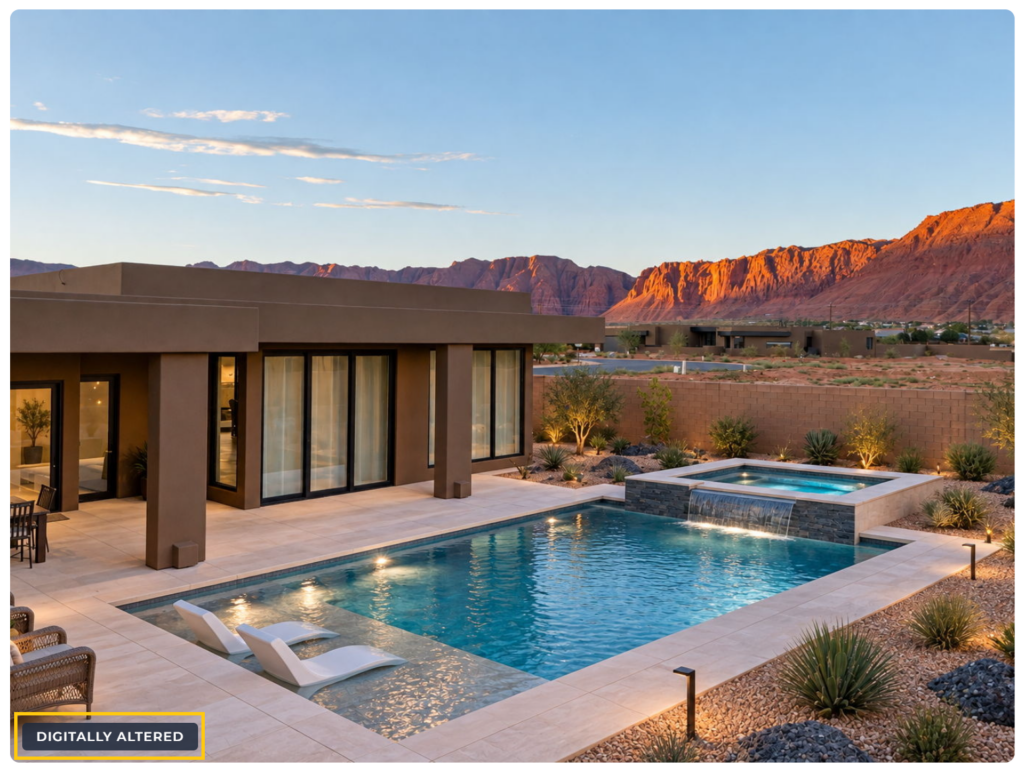
When a digitally altered photo is uploaded to your listing, please know you can use the “Photo Description” section associated with that photo to optionally provide a description of what was altered in the image.