Syndication for Brokers
How do I Update my Listing Syndication Settings?
Brokers have control of listing syndication feeds under the Data Licensing section of the MLS.
1. Open Data Licensing under the Tools tab.

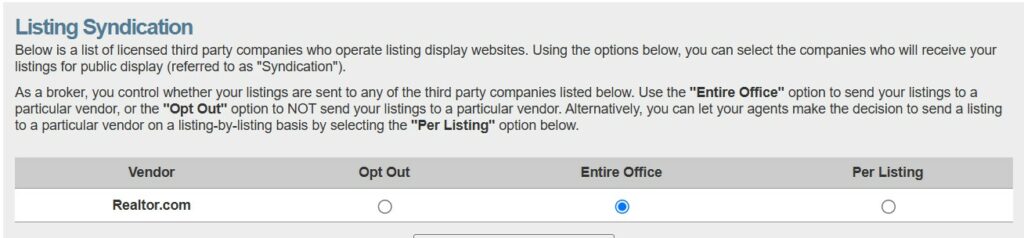
2. Locate Listing Syndication at the bottom of the page. As a Broker, you will have three options to choose from with each syndication vendor:
- Opt Out will not allow any listings from your office to be sent to that particular vendor.
- Entire Office will allow all on-market listings to be sent to that particular vendor.
- Per Listing will give permission to your agents to choose whether to send their individual listings to any vendors.
Can My Agents Set their Own Syndication Preferences?
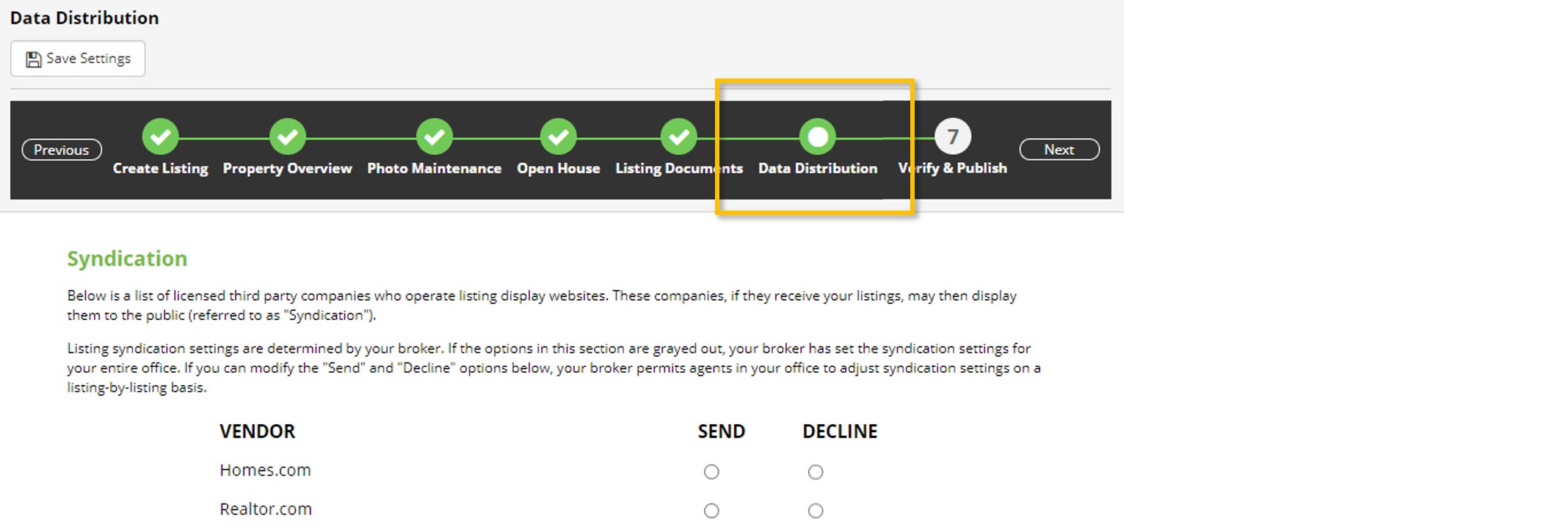
If you, the broker, opt to allow listing syndication on a Per Listing basis, agents will be able to make syndication choices for each listing during the Data Distribution step of listing input.
If you need any assistance, please contact us at 801-676-5400 or support@utahrealestate.com.


