Syndication for Agents
What is Syndication?
Syndication is when listings are sent to licensed third-party companies (“Vendors”) who operate listing display websites. These companies, if they receive your listings, may then display them to the public.
Who Determines Syndication Settings?
The broker of an office ultimately sets the listing syndication settings for the entire office. Syndication settings can be customized for each Vendor that is a syndication option in the MLS. When configuring syndication settings for a Vendor, brokers have three options to choose from, which are:
1. Opt-In Entire Office: Brokers can choose to send all listings to a given vendor.
2. Opt-Out Entire Office: Brokers can choose not to send any listings to a specific Vendor. Please know that this is the default setting for all new offices in the MLS.
3. Agent’s Option: Brokers can choose to allow their agents to set their own syndication preferences on a per listing basis. For example, this setting allows an agent to choose with each of their listings whether they want to send a listing to a specific Vendor.
Can Agents Set their Own Syndication Preferences?
Whether or not an agent can set their own listing syndication preferences is dependent on the syndication settings the office broker has selected for the office (see three syndication setting options above).
Where can I See Syndication Settings for My Listings?
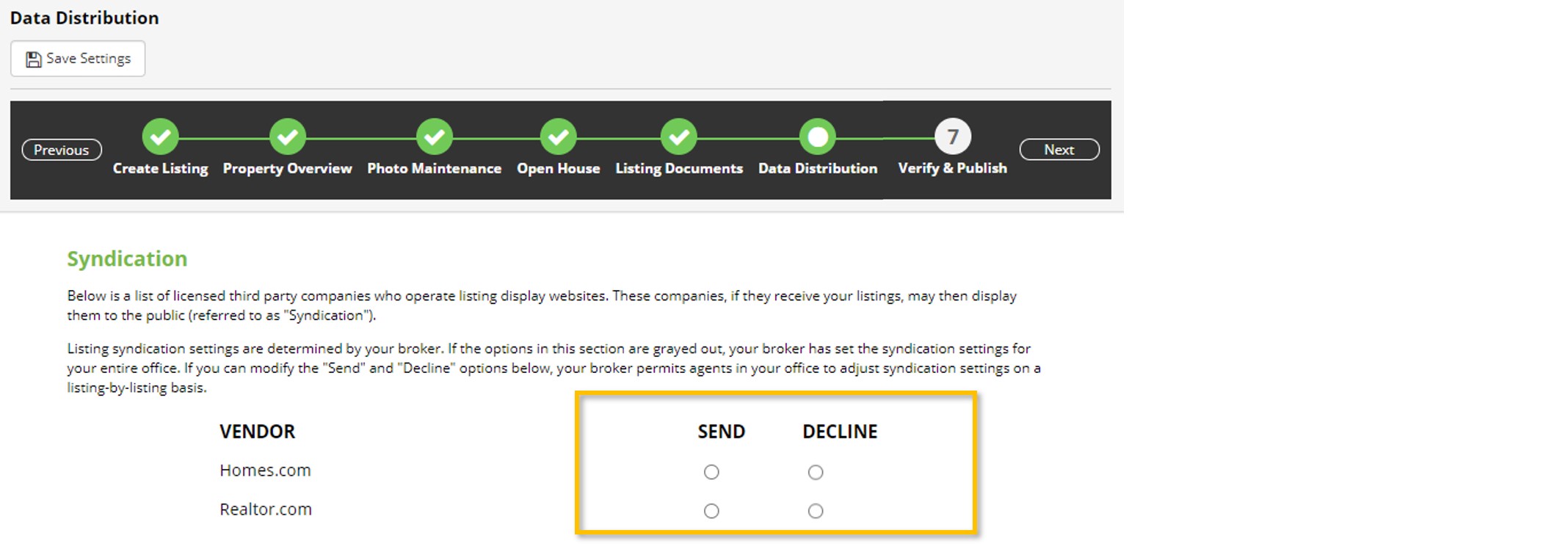
Agents can see syndication settings on the Data Distribution listing edit page (Note: This page is also a step of initial listing input).
If your office broker has selected either the Opt-In (Send) or Opt-Out (Decline) option, then you will see that selection on the Data Distribution page for your listing, and that selection will be grayed-out on the page. This indicates you cannot edit these settings.
If your broker allows agents to set their own syndication preferences, you will have the ability to select either the Send or Decline option on the Data Distribution Page.