Edit and View Saved CMAs
How do I Edit a Saved CMA?
Step 1. Select Saved CMAs from the CMA dropdown.

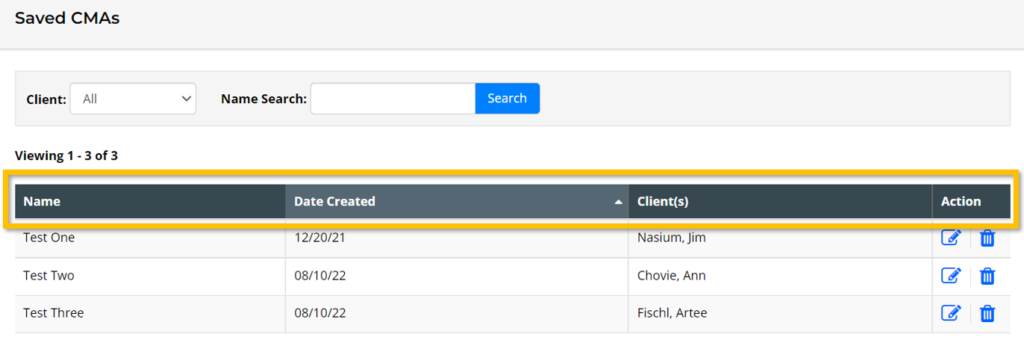
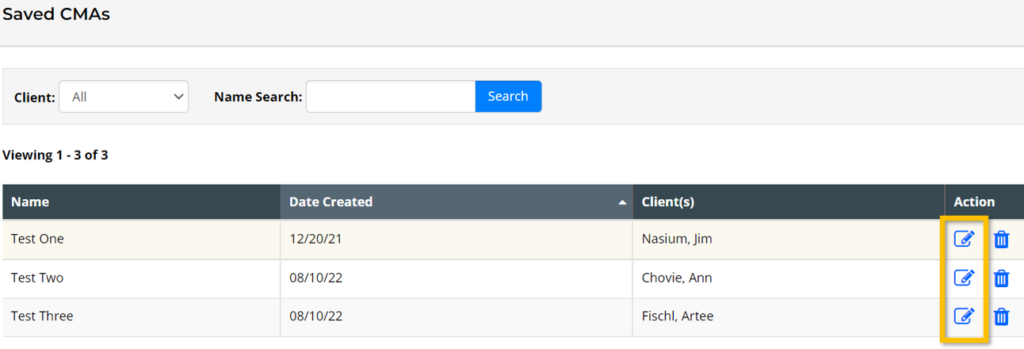
Step 2. Find the CMA that needs editing from this list of your Saved CMAs. List can be sorted by clicking on the column headers such as a Name or Date Created.
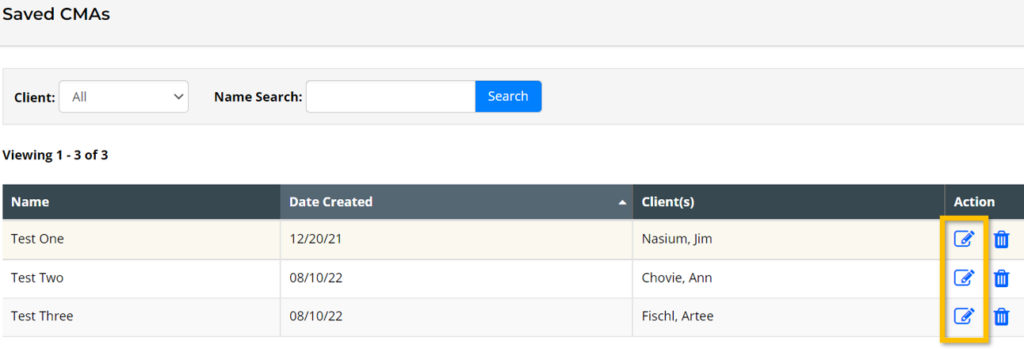
Step 3. Select the Edit Icon under the Action column on the far right.
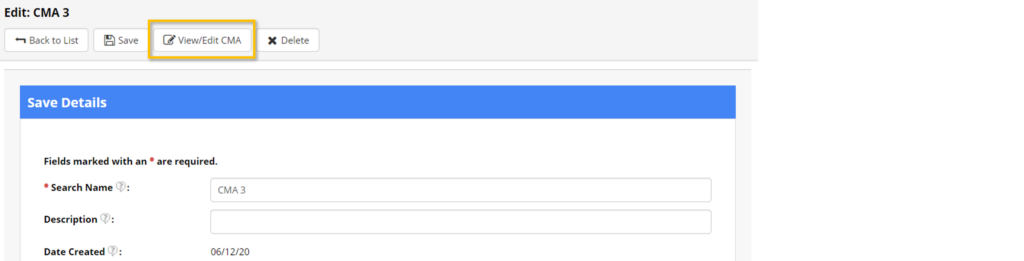
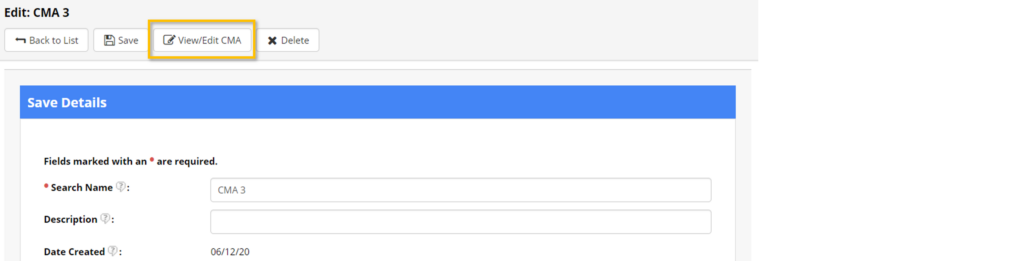
Step 4. From this page, you can change your Saved CMA Details, such as the name of the CMA and which client is associated with the CMA. Select View/Edit CMA to revise your CMA search, chosen comparables, or CMA Report.
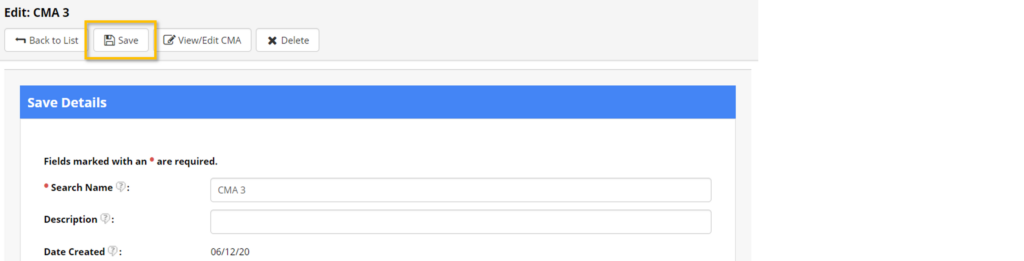
Step 5. Finally, Select Save to save your changes.
How do I View a CMA I Have Saved?
Step 1. Visit the Saved CMAs section and select the Edit icon on the CMA you would like to view.
Step 2. Select View/Edit CMA from the top menu.
Note: If you make any changes while viewing your CMA, be sure to select Save CMA at the top of the CMA Report before exiting.


