CMA Quick Tips
A Comparative Market Analysis, or CMA, is a tool used to obtain the estimated market value of a subject property by comparing that subject property to other comparable or similarly situated properties (i.e. location, property characteristics, etc.). Below are a few quick tips for using UtahRealEstate.com’s CMA tool:
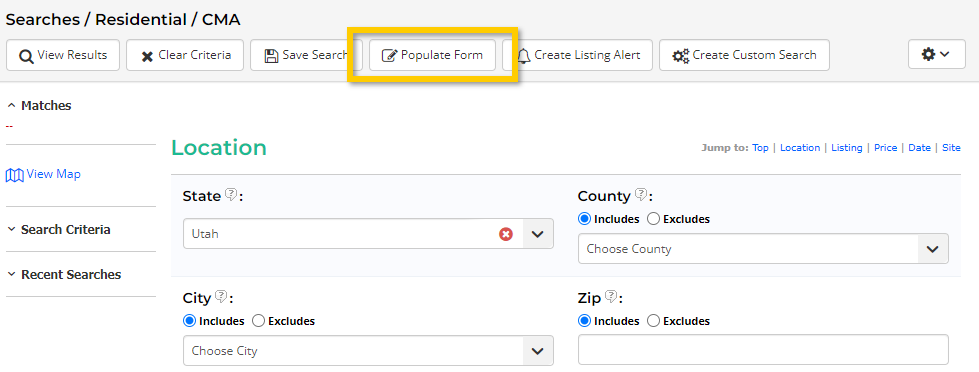
Tip 1: Use the Populate Form feature when searching for comparable properties
The Populate Form option allows you to use a Tax Parcel Number or MLS# of a listing in order to pre-fill your search criteria with information about the property you are pricing (i.e. the subject property). Using this feature will populate different search fields – such as a range of bedrooms, bathrooms, square footage, style, and year built – to help you find properties similar to your subject property.
Tip 2: Use the Radius Map Tool to Find Comparable Properties
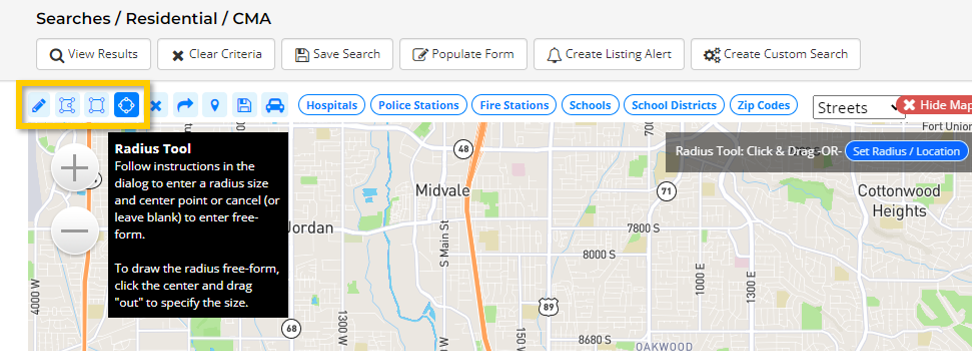
To quickly find comparable properties located near your subject property, use the Radius Tool in the map search. After selecting View Map from the search page, select the radius tool from the available draw tools (highlighted below). Simply click the location of the subject property on the map and drag your mouse to create a radius around the subject property.
Tip 3: Find Comparables as Similar to your Subject Property as Possible
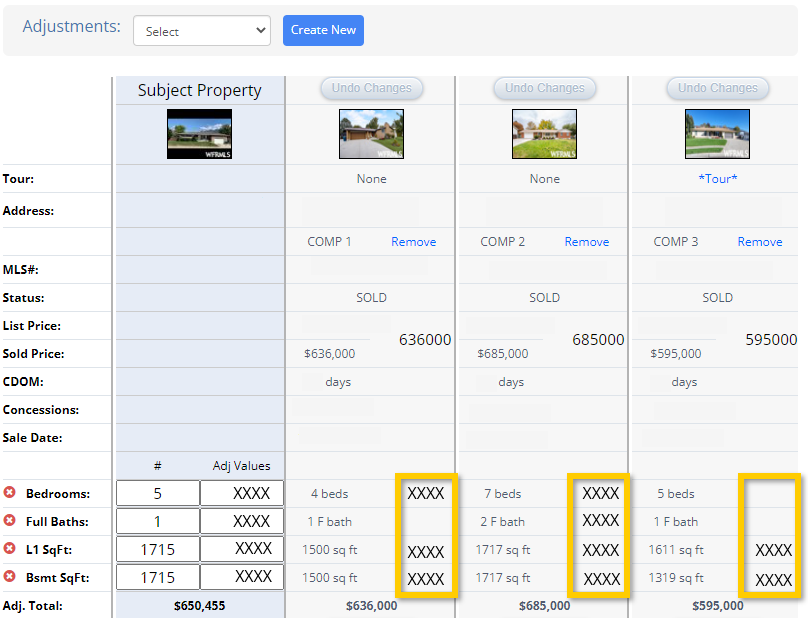
The more different a comparable property is from the subject property, the more adjustments will need to be made and the more the adjusted values will change. We recommend finding comparable properties that are as similar as possible to the subject property, so that few adjustments are necessary.
Tip 4: Use Adjustments to Better Compare your Subject Property to Other Properties
Our CMA tool will allow you to make price adjustments to the comparable properties that you select to include in your report. These adjustments help account for the differences between your comparable properties and your subject property (such as a difference in number of bedrooms).
Tip 5: Create Adjustment Factors
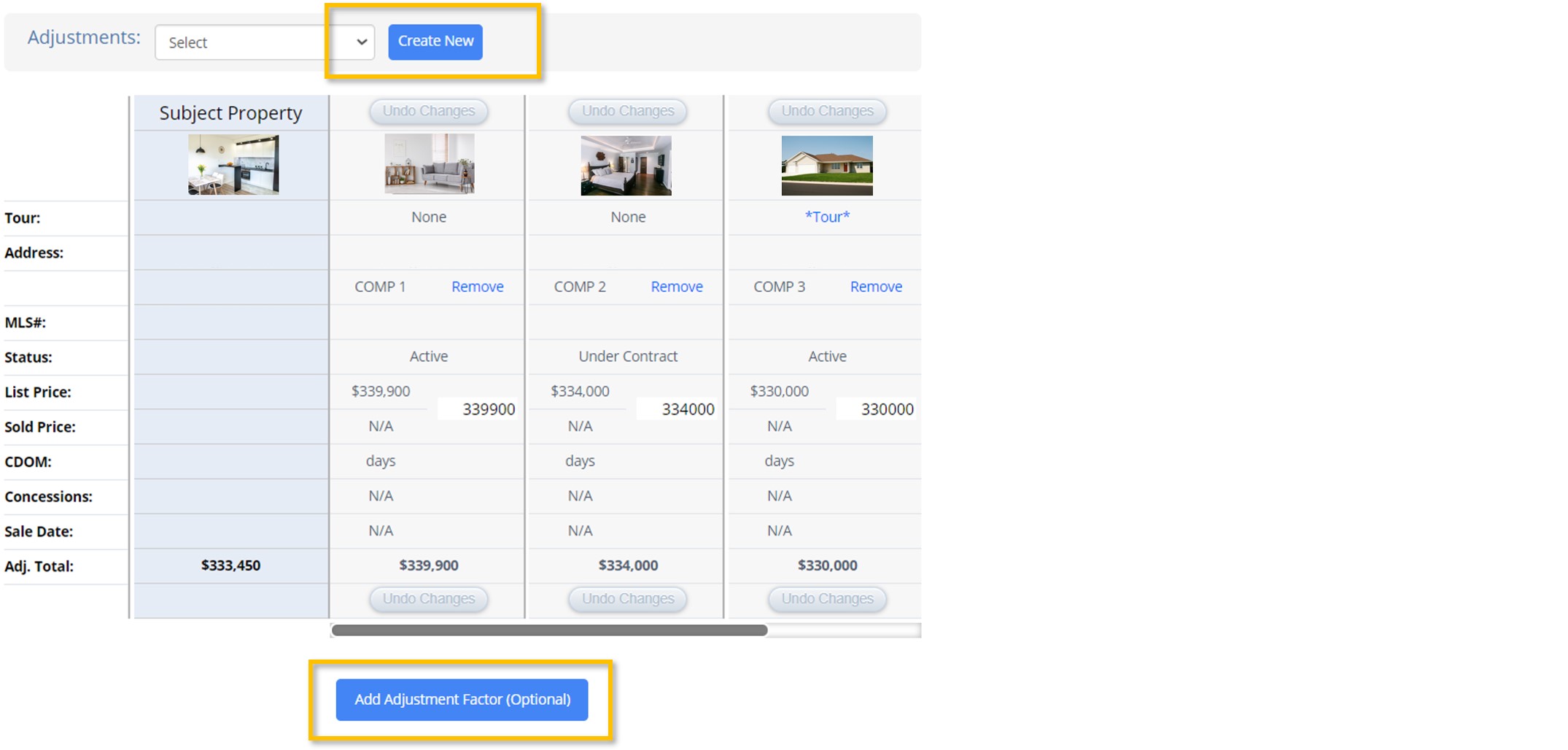
The price of each comparable property is changed by Adjustment Factors entered into the CMA program. Adjustment Factors can be created in two ways:
- Quickly assign individual adjustment factors by selecting the Add Adjustment Factor button at the bottom of the CMA report. These factors will be used for this CMA only and will not be saved to your account.
- Create a set of custom adjustment factors for repeated use by selecting Adjustments: Create New at the top of the CMA report.
Learn more about using the CMA report here.
Note: UtahRealEstate.com encourages all members to thoroughly research market values for the markets in which they work. CMA adjustment factors and values depend upon a variety of details such as proximity to downtown, size of the home, quality of the home, quality of the neighborhood, and features such as views. As an example, the price attributed to having an additional bedroom for a property in Sugar House will be different than the price attributed to having an additional bedroom for a property in Orem. For these reasons, we recommend you create custom adjustment factors for the specific market or markets in which you conduct business.
If you need any assistance, please contact us at 801-676-5400 or support@utahrealestate.com.


