Managing Client Connections
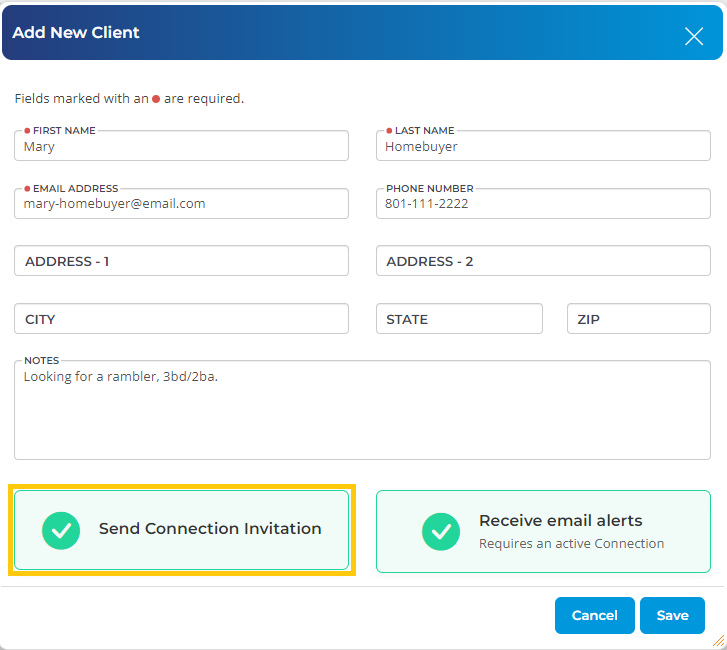
When you add a client to your Client Manager, the system will give you the option to send a Connection Invitation to your client. A connection invitation is an email that is sent to your client, which prompts your client to (1) create an account on UtahRealEstate.com, and (2) confirm their connection with you.
When your client completes these steps, you will then have an established Client Connection. A client connection is needed in order to send Listing Alerts and to receive notifications whenever your client favorites a property.
How do I Check the Status of a Client Connection?
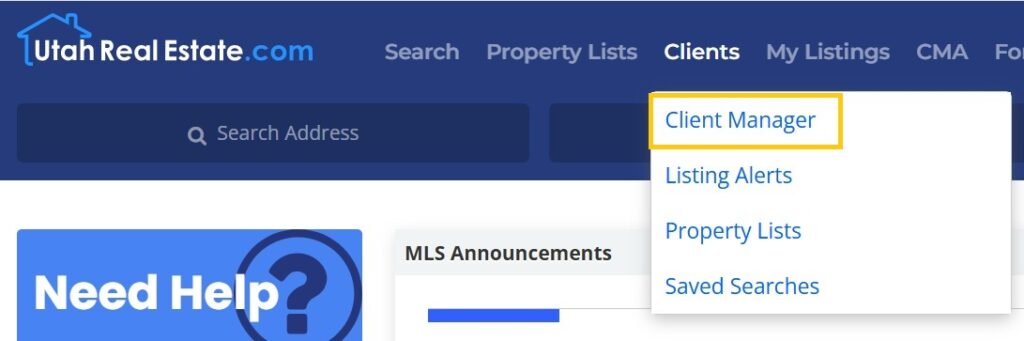
1. Click on the Clients option from the main navigation menu in the MLS, then select Client Manager.
2. Select your client’s name from the menu on the left.
3. The status of your connection appears under the client’s name at the top left. If this section shows Connected, the client has confirmed the connection with you. If this section shows Pending, then the client connection invitation has been sent, but has not yet been confirmed by your client.


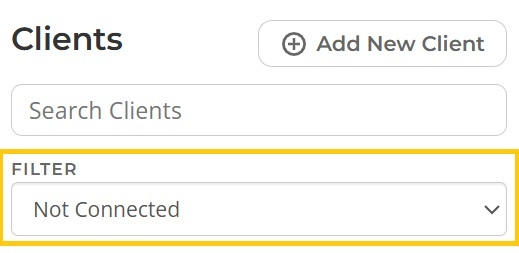
4. Within the Client Manager, you can also filter to view those clients who have a confirmed connection (or those who are not yet connected). To find this open, go to your Client Manager, and click on the Filter option at the top left.
How Do I Re-Send a Connection Request?
1. Click on the Clients option from the main navigation menu in the MLS, then select Client Manager.
2. Select your client’s name from the menu on the left.
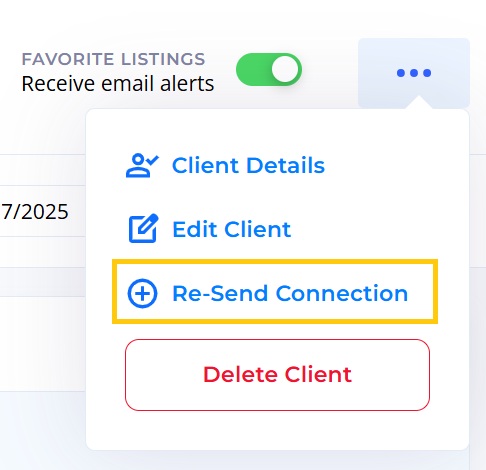
3. Click on the more actions button (three dots) at the top right corner, and select Re-Send Connection.
How Do I Remove a Client Connection?
Here is how to remove a client connection:
- Open the Client Manager (click on Clients, and the Client Manager), and select your client from the menu on the left
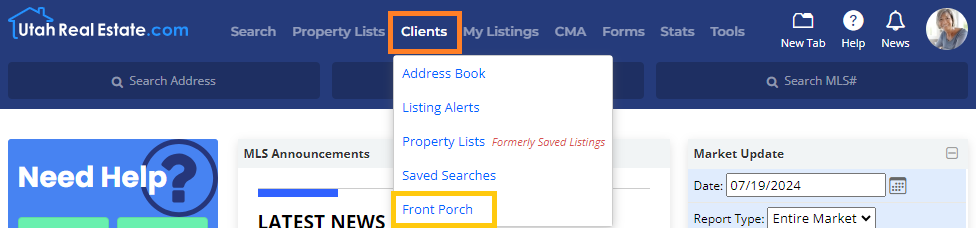
2. Select your client’s name from the menu on the left.
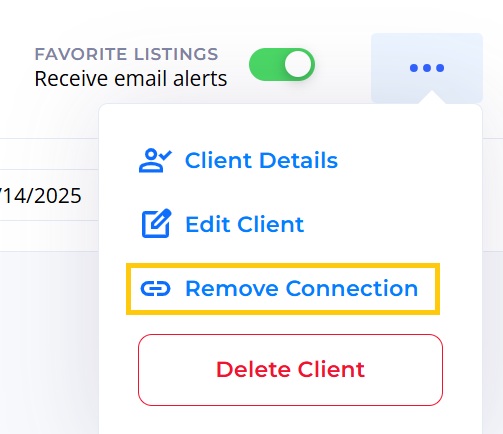
3. Click on the more actions button (three dots) at the top right corner, and select Remove Connection.
Managing Client Connections Video
You can watch a video showing this feature here:
If you need any assistance, please contact us at 801-676-5400 or support@utahrealestate.com.


