Aligned Showings: Notifications Sent to Showing Agents for Back On Market Listings, Price Reductions, Direct Broadcast Messages
Did you know that you can send notifications to agents who have a confirmed showing on your listing? This guide will show how to send a notice to agents that have had a recent showing on your listing.
How Do I Send a Notice to Showing Agents About My Listing?
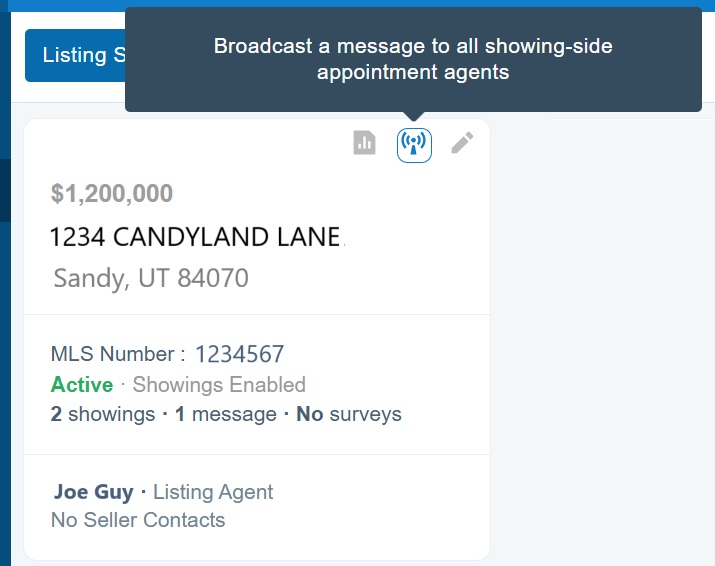
- Select the My Listings tab in Aligned Showings.
- Within the tile for your listing, click on the Broadcast button.
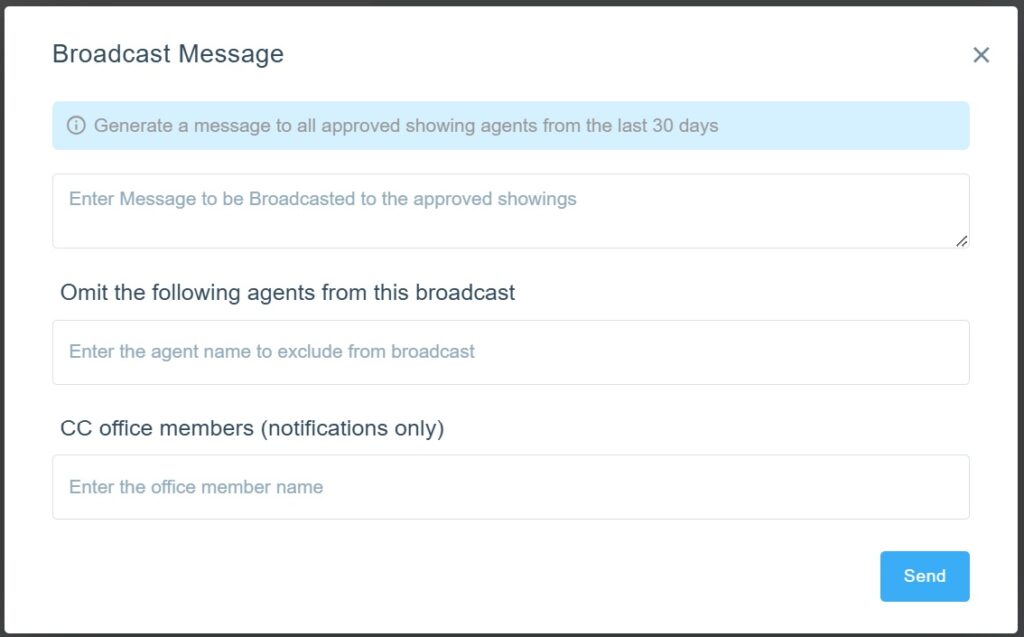
Enter a message that you would like sent under “Enter Message to be Broadcasted to the approved showings”.
Please note: MLS Rules prohibit using the MLS, including any of the following remarks fields, to market or advertise offers of compensation or commissions to other brokerages, agents, or buyers. This includes, but is not limited to, offers to pay Buyer Brokerage Compensation (BBC), Buyer Agency Compensation (BAC), or any other offers of compensation.
You may also choose to omit (exclude) specific showings agents from receiving the message. You may also include any people in your office that you would like to receive a copy of the message, such as your assistant or broker. Click Send to send the message.
Who Will Receive My Broadcasted Message?
All agents who have had a confirmed showing from the last 30 days will receive the message.
Where Are the Messages Sent?
The Showing Agent will receive a text and/or email notification (depending on their notification preferences). They will also see the broadcasted message in the Messages section of their Aligned Showings account.
What Other Notices Are Sent Automatically to Showing Agents?
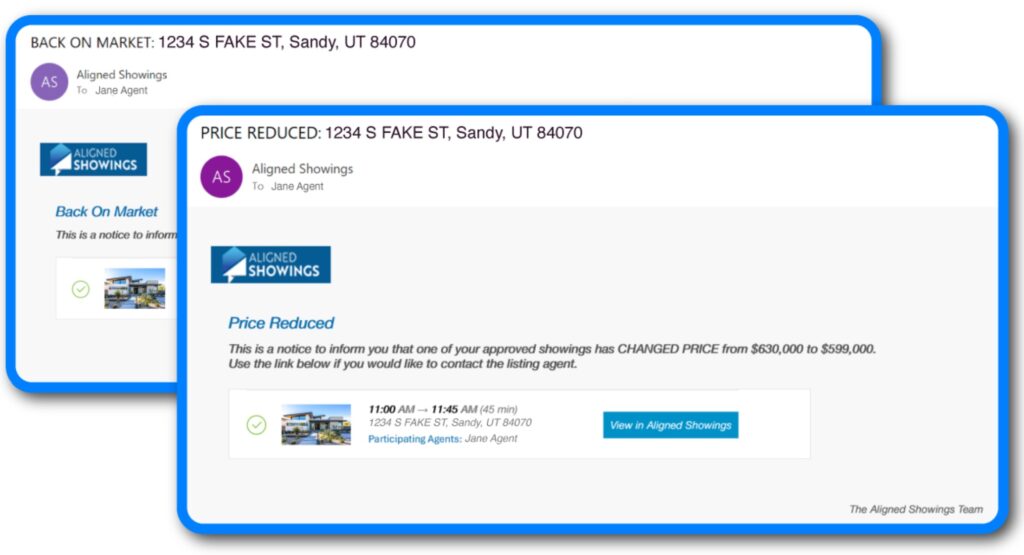
- Price Reductions: When an Active listing has had a price reduction within the last day.
- Back on the Market: When a listing changed from either Backup or Under Contract status back to Active status.
- When listing has an accepted offer: When a listing with a future showing is changed to either Backup or Under Contract status.
How Do I Disable these Notifications?
You can find guidance for updating your notification preferences here.
If you need any assistance, please contact us at 801-676-5400 or support@utahrealestate.com.


