Brokerage Report
A new Brokerage Report has been added to the Account Settings page within the MLS. This Report allows Principal and Branch Brokers, as well as users who have “Work As” permissions to work as a Principal or Branch Broker, to view details about all agents in their brokerage. Please know the Brokerage Report can also be exported to a .CSV file. This Report includes the following:
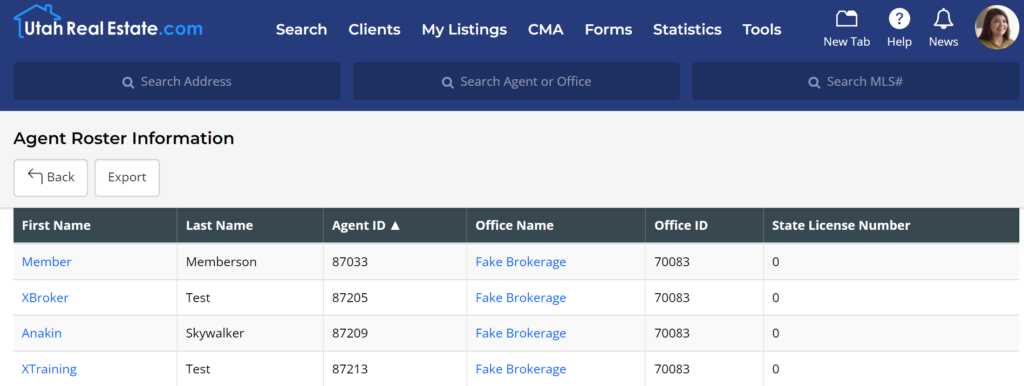
- Principal Brokers can view a list of all agents in their brokerage, and Branch Brokers can view a list of all agents in their branch office.
- The Report includes links to view each agents’ MLS profile page, which allows you to quickly view an individual agent’s contact information, all of their “Active” listings, and all listings the agent has sold within the last year.
- A list of the Agent IDs assigned to each agent, which is a unique numerical value assigned to each MLS member by the MLS. This information is helpful to have when working with third party software vendors who have access to a data feed from the MLS, as it allows such vendors to quickly identify agents and their listings in the data feed they receive from the MLS (For example, this provides clarity in cases where multiple MLS members may have the same first and last name).
- The Report lists the Office Name and Office ID (a unique numerical value assigned by the MLS, which is assigned for similar reasons to those mentioned above) that an agent is tied to in the MLS, which is helpful for brokers with multiple branch offices.
- Last, the Report includes the State License Number for each agent.
How to Access the Brokerage Report
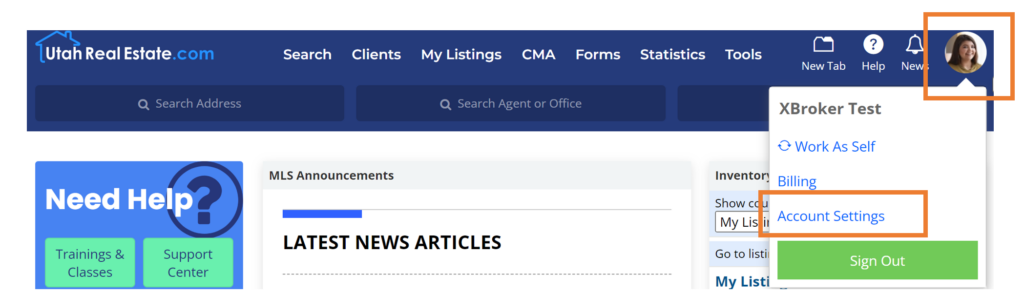
1. Go to the Account Settings page by hovering over your profile icon and selecting “Account Settings”
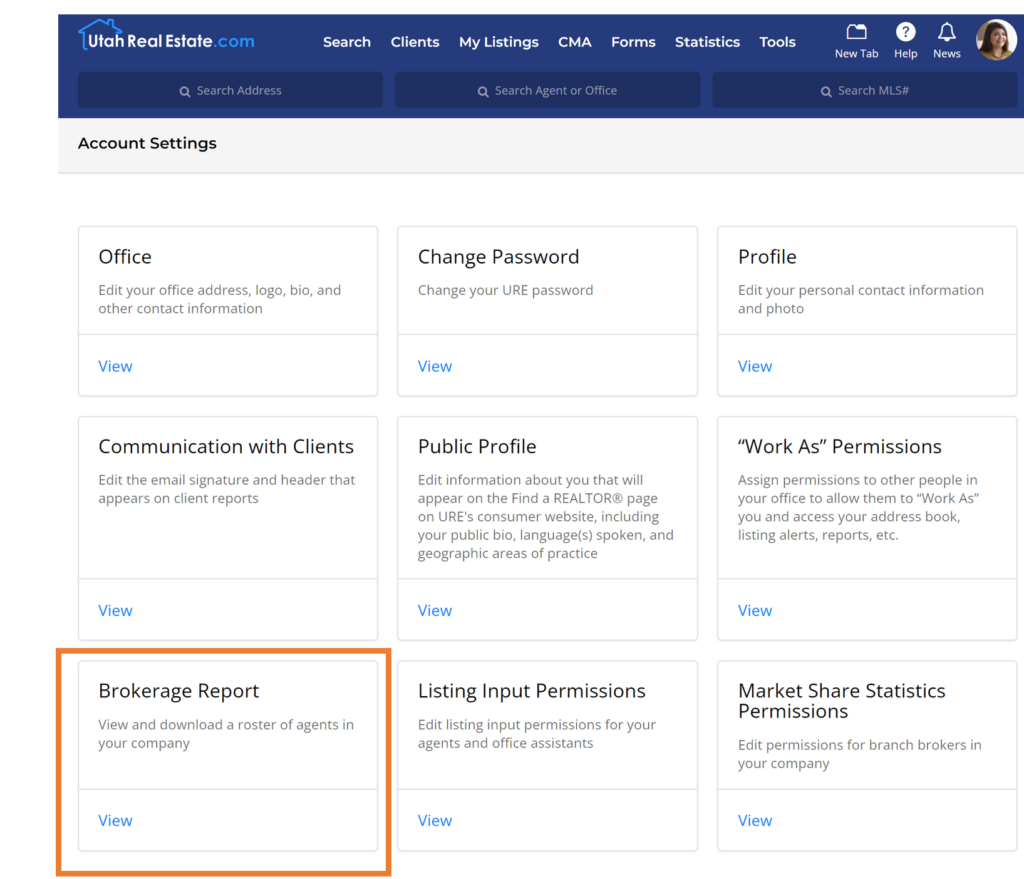
2. Once on the Account Settings page, click the tile that says Brokerage Report.
Sample Brokerage Report
If you need any assistance, please contact us at 801-676-5400 or support@utahrealestate.com.


