Feedback Analysis
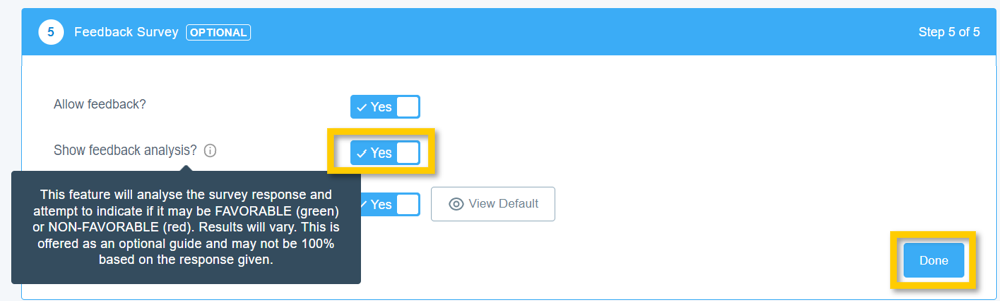
Aligned Showings’ Feedback Analysis tool is an optional feature that can be enabled for Feedback Surveys, and this tool will analyze each individual response to a Feedback Survey and then, depending on the response given to a particular question, will classify each response as favorable (green indicator) or not favorable (red indicator). This tool can be helpful if you receive a lot of feedback on your listings, as this gives you a quick indicator as to whether a response to a question was a positive or negative response.
Enable Feedback Analysis
By default, Feedback Analysis is disabled for every listing. Here is how you can enable this feature:
- Select the My Listings tab in Aligned Showings.
- Click the Edit icon next to the subject listing to open the Listing Setup page.
- On the Listing Setup page, go to the section titled Feedback Survey.
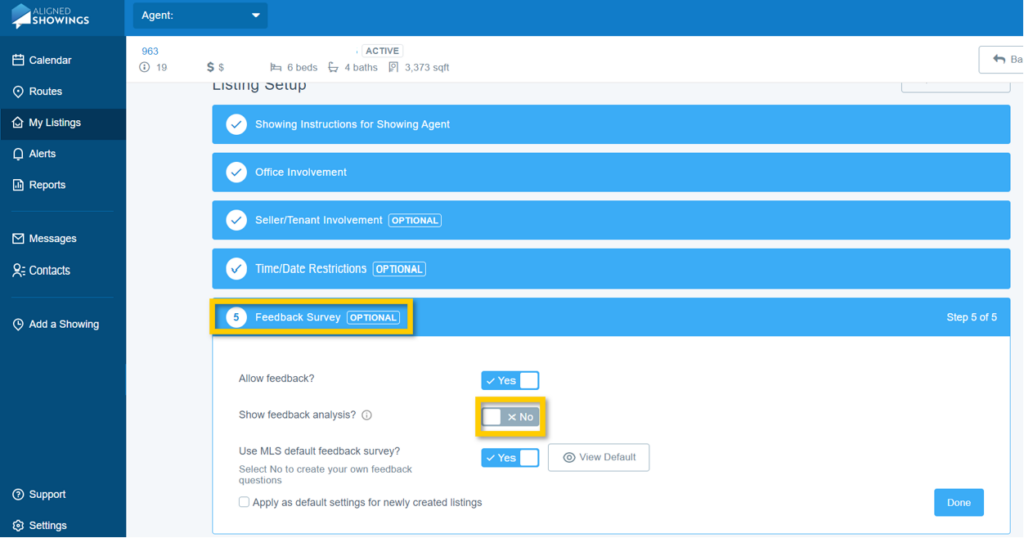
2. Next to the option that says Show Feedback Analysis?, select Yes. Last, select Done to save your changes.
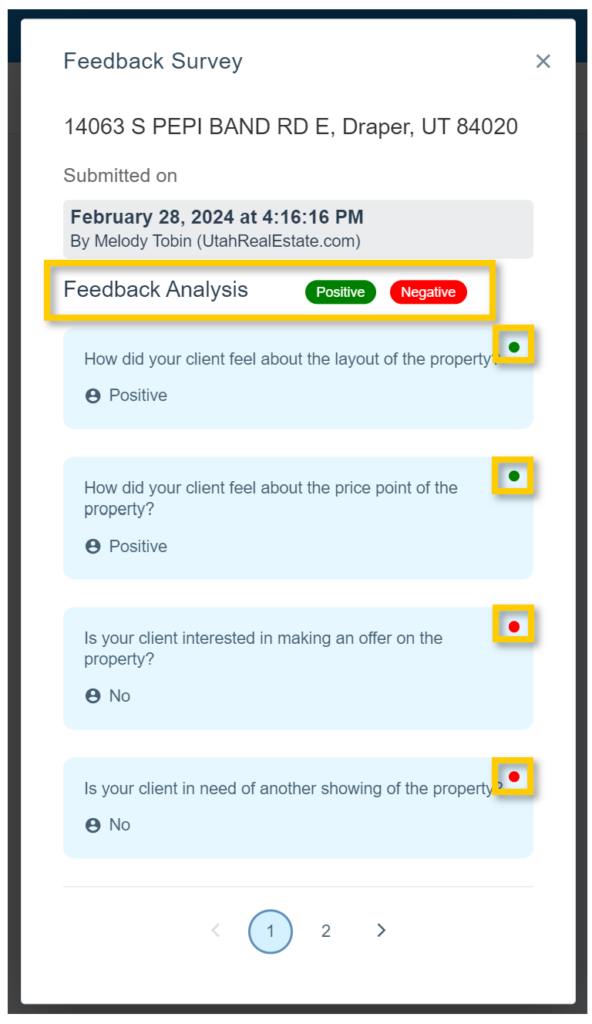
Viewing Feedback with Feedback Analysis Enabled
When viewing a Feedback Survey response where Feedback Analysis has been enabled, you will see that the response to each question will show a green (positive or favorable feedback) or red (negative or not favorable feedback) indicator next to the response.
Disclaimer: Aligned Showings’ Feedback Analysis feature uses machine learning and thus cannot be guaranteed for complete accuracy. Please be aware sellers who are setup to receive Feedback Survey response will also see Feedback Analysis if that feature is enabled. If you have Feedback Survey responses setup to be sent to your seller[s], please know that we highly recommend enabling the Aligned Showings feature which allows you to preview feedback before feedback is sent to any sellers added to the listing. Click here for instructions on how to enable the preview feedback feature.


